What it takes to maintain an agentic analytics stack
Hi, this is Vivek, building Contextflo. I share practical notes on getting answers from your data, a couple of times a month.
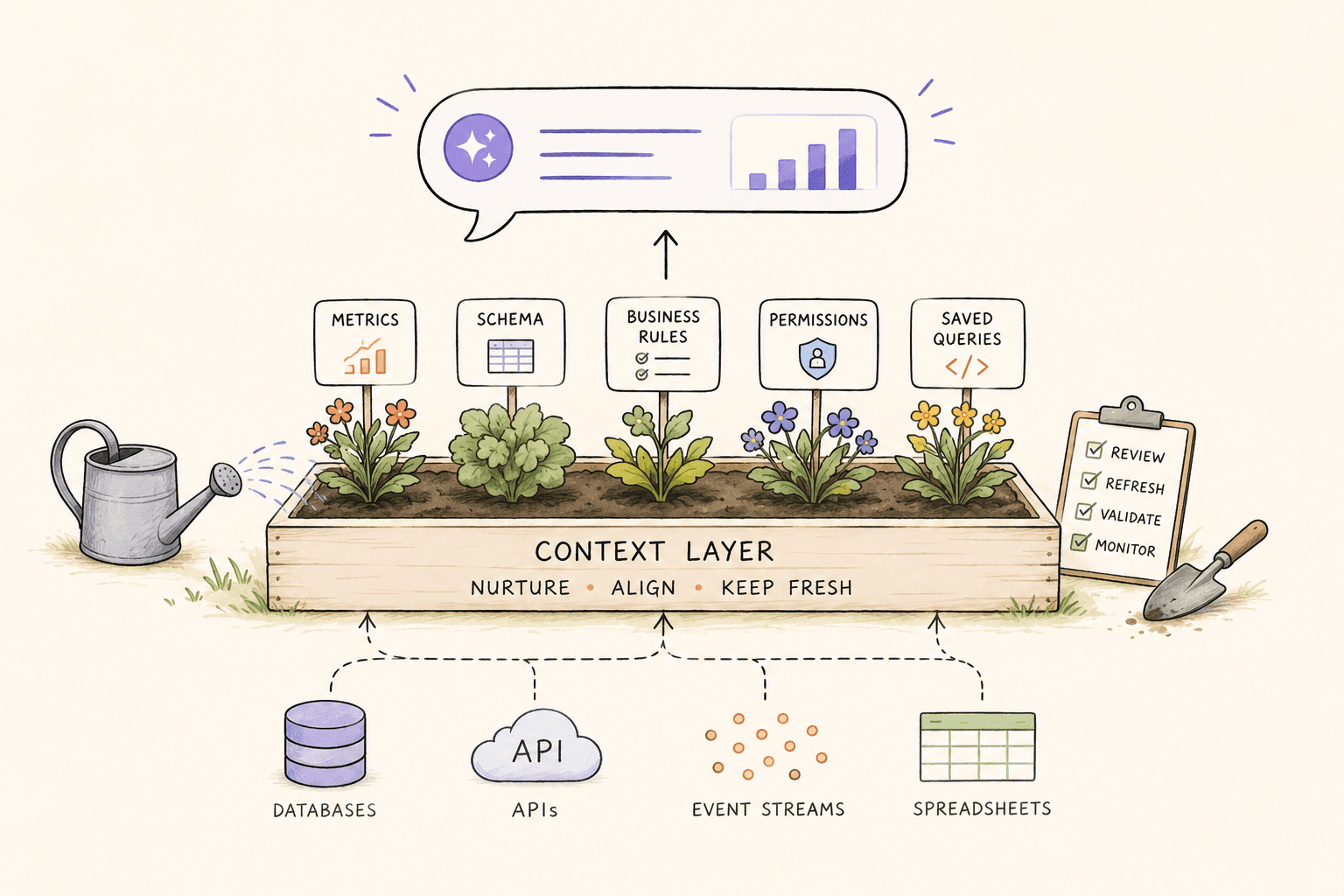
Connecting an LLM to your database is the easy part. The hard part is keeping it accurate, safe, and useful over time. After helping teams run thousands of AI-powered queries against production data, here's what we've learned about what actually breaks, and what it takes to keep it working.

1. Context goes stale
Your database schema changes. Columns get renamed, tables get added, business definitions evolve. The context your LLM uses to understand your data has to keep up.
If you wrote your context manually (YAML files, markdown docs, prompt instructions), every schema change means someone has to update those files. Miss one, and the LLM starts generating SQL against columns that don't exist anymore, or worse, against columns that exist but mean something different now.
What helps: Auto-generated context that syncs with your schema. When a new column appears, the system detects it and generates a description. When a column disappears, the reference is removed. You review changes rather than authoring them.
2. You need to know what people are asking
When your team starts asking an AI questions about data, you need visibility into what they're asking and what answers they're getting. Not for surveillance, but for quality.
If 5 people ask "what's our churn rate" and get 5 different numbers, that's a context problem. If someone asks about a table they shouldn't have access to, that's a security problem. If the same question keeps coming up, that's an opportunity to save it as a reusable query or dashboard.
What helps: A query audit log that captures every question, the SQL generated, and who asked. Pattern analysis to spot inconsistencies and popular questions.
3. Access control is table stakes
When one engineer connects an MCP server to the database, access control is simple: it's just their credentials. When 10 people on your team are querying through AI, that breaks down.
Your warehouse already has real access control: SSO, RBAC, row-level security, users provisioned through Okta or SCIM. The catch is that most MCP and agent setups run through a single shared service credential. The warehouse sees one connection, not ten people, so its per-user controls never apply to the human actually asking the question. On the AI path, "marketing sees marketing data, nobody sees salaries" quietly stops holding.
What helps: Per-user access control on the AI path, layered on top of your warehouse permissions rather than replacing them. Each person is scoped to the tables and columns they should query, so the shared connection stops being a blind spot. Your database-level RBAC still does its job underneath.
4. Metric definitions drift
"Revenue" seems simple until you realize your CTO means gross revenue, your CFO means net revenue, and your head of sales means contracted ARR. This isn't an AI problem. It's a business problem that AI makes visible.
Without shared definitions, every person gets whatever SQL the LLM generates for their phrasing. Two people asking the same question in slightly different ways get different numbers. Trust erodes fast.
What helps: Canonical metric definitions that the LLM uses as source of truth. When someone asks about "revenue," the system knows which definition to apply, and it's the same for everyone.
5. Corrections need to persist
When an LLM gets a query wrong and someone corrects it, that correction should stick. Not just for that conversation, but for every future query by every user.
With vanilla MCP connections, every conversation starts from scratch. You correct a calculation in the morning, and your colleague hits the same wrong answer in the afternoon. The institutional knowledge disappears when the chat window closes.
What helps: A feedback loop where corrections update the context layer. Saved query patterns that encode the right way to calculate specific metrics. Business concepts that define terms once and apply everywhere.
6. The answer isn't always a table
Raw query results are useful for data people. For everyone else, the answer needs to be a chart, a summary, or a report they can share. If your agentic analytics setup only returns SQL results in a chat window, adoption will stall at the technical users.
What helps: The ability to save queries as dashboards, schedule reports, and share results as links, not just chat transcripts.
The unsexy work
Most of the conversation about agentic analytics is about the cool part: ask a question in English, get an answer from your database. That's genuinely impressive and it works.
But the teams that stall usually stall on the unsexy part: stale context, inconsistent metrics, no access control, no audit trail, corrections that don't persist. These are infrastructure problems, and they require infrastructure solutions.
That's what Contextflo is. Not the AI (you bring your own). The infrastructure that makes agentic analytics actually work for a team, not just for one engineer in a chat window.
Find out if Contextflo is the right fit for you.
See how teams use Contextflo


Related posts


Keep reading

Conversational analytics: 5 ways to set it up, compared
7 min read

How to connect Claude to BigQuery? What works and what doesn't in 2026
8 min read

How to connect Claude to Postgres without giving it write access
7 min read

How to build a BI dashboard with Claude that your team can actually trust
8 min read

How to give Claude read-only access to your database (it isn't always the default)
7 min read

You connected your warehouse to Claude, now what?
5 min read
How to host and share Claude artifacts with your whole team
3 min read

The official Postgres server for Claude is archived. Here's what to use instead.
7 min read

Why is the team missing sprint goals? How to analyze Jira data with AI
8 min read