Query your CSVs in Claude, alongside the rest of your data
Hi, this is Vivek, building Contextflo. I share practical notes on getting answers from your data, a couple of times a month.

Not every team has a data warehouse. Even fewer have a data team. Most just have a pile of CSVs (vendor exports, finance sheets, ops trackers) getting passed around and picked apart by hand.
The problem is not any one file. It is that the answer you want usually needs the CSV and the data you already have, together. And a CSV in your inbox does not talk to your warehouse.
So we added CSV upload. Drop in a file and it becomes a table you can query in Claude, on its own or next to everything else you have connected.
What it looks like
Say you run an e-commerce brand. Orders and revenue are in your warehouse. Product costs are in a spreadsheet, because costs come from POs and supplier negotiations rather than your checkout.
So you can see revenue by product. You cannot see profit. The cost half is stuck in a CSV.
Upload the cost sheet and ask which products are most profitable after cost. Claude pulls revenue from the warehouse, costs from the CSV, and returns profit and margin by product. Usually the surprise is that your best seller is not your best earner.
And because the CSV lives in Contextflo rather than in one person's chat, the whole team can ask the same thing.
How is this different from uploading to a chat?
You can already drop a CSV into Claude and ask about it. For a quick one-off file, do that. It is free and it is simpler.
Two things you cannot do there:
- Query it next to your other data. In a chat the CSV is trapped on its own. Here it sits beside your warehouse, so one question can pull from both.
- Share it. A chat upload belongs to you, for that one conversation. Here it is a table anyone on your team can query, any time.
One-off, personal, standalone: use the chat. Stays around, shared, needs your other data: use this.
Under the hood
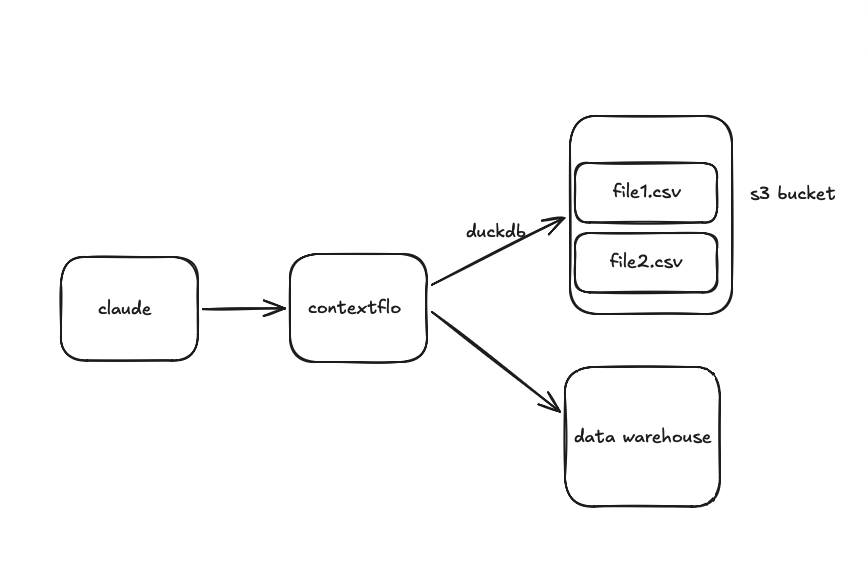
Your files go into an S3 bucket only your org can access. Nothing shared, nothing public.
At query time we load the file into DuckDB and Claude runs real SQL against it through MCP. So "average order value by region" is an actual GROUP BY, not the model eyeballing a wall of text and doing arithmetic in its head.
That distinction matters more than it sounds. A model reading a CSV as text will happily approximate a sum over a few thousand rows, and it will be close enough that nobody checks. Running SQL means the number is computed, not estimated.
For a question spanning the CSV and your warehouse, Claude queries each separately and combines the results. Two queries, one answer.
Prefer to keep files in your own storage? You can bring your own bucket.
What to upload, and what not to
The files worth uploading are the ones that hold a piece of the picture nothing else has: cost sheets, budget targets, a mapping from campaign codes to something meaningful, headcount plans. These are usually small, they change monthly rather than hourly, and they are exactly the data that never gets into a warehouse because no system produces it.
What is not worth uploading is an export of something already connected. A CSV pulled out of your warehouse last Tuesday is a snapshot that will quietly go stale while looking exactly as authoritative as everything else.
See it on your own data.
Connect your warehouse and your team can ask Claude about it the same day, without waiting on a data team. Want a walkthrough first? Grab 20 minutes.
Book a 20-minute callSee how teams use Contextflo


Related posts

Keep reading

Conversational analytics: 5 ways to set it up, compared
7 min read

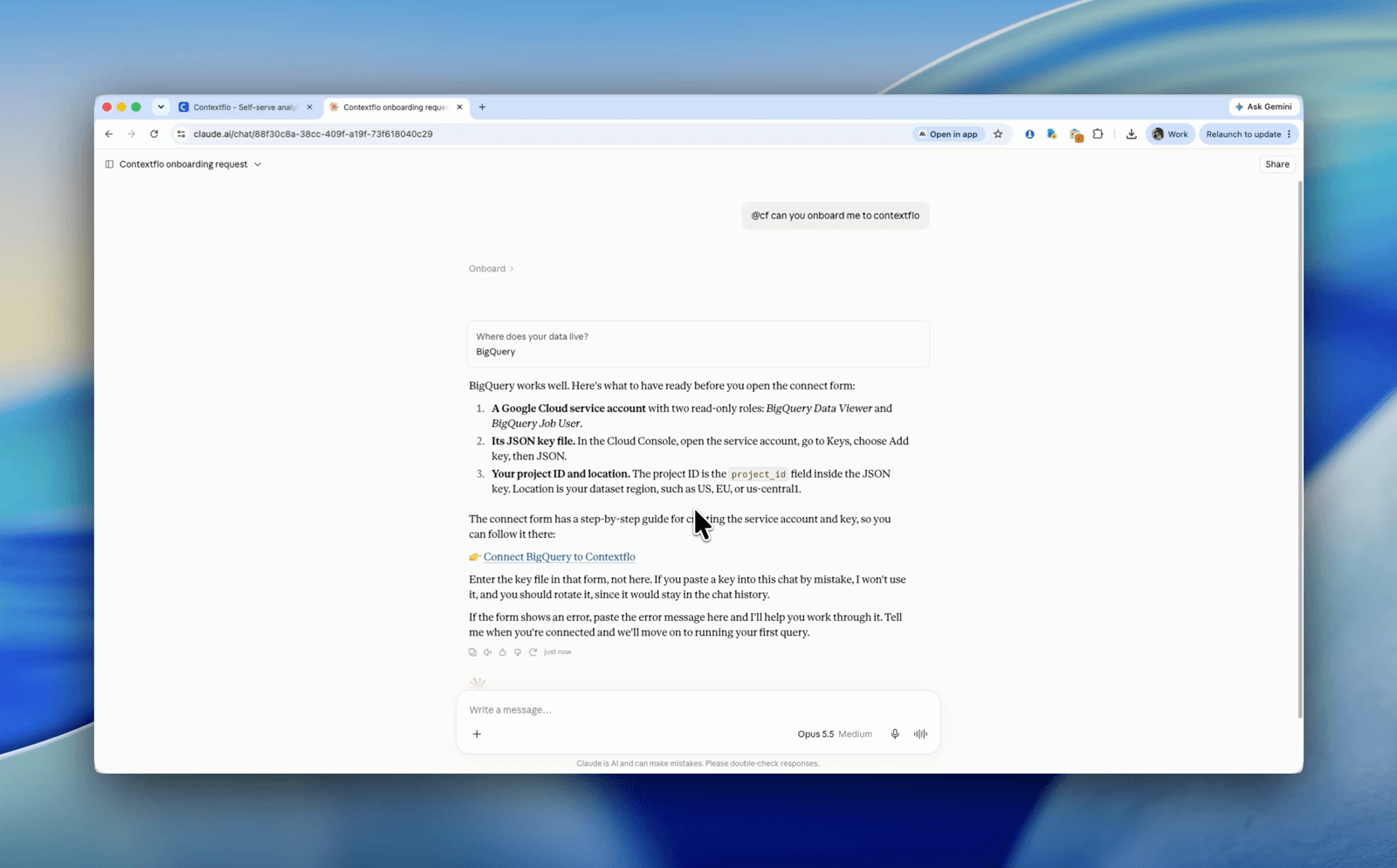
How to connect Claude to BigQuery? What works and what doesn't in 2026
8 min read

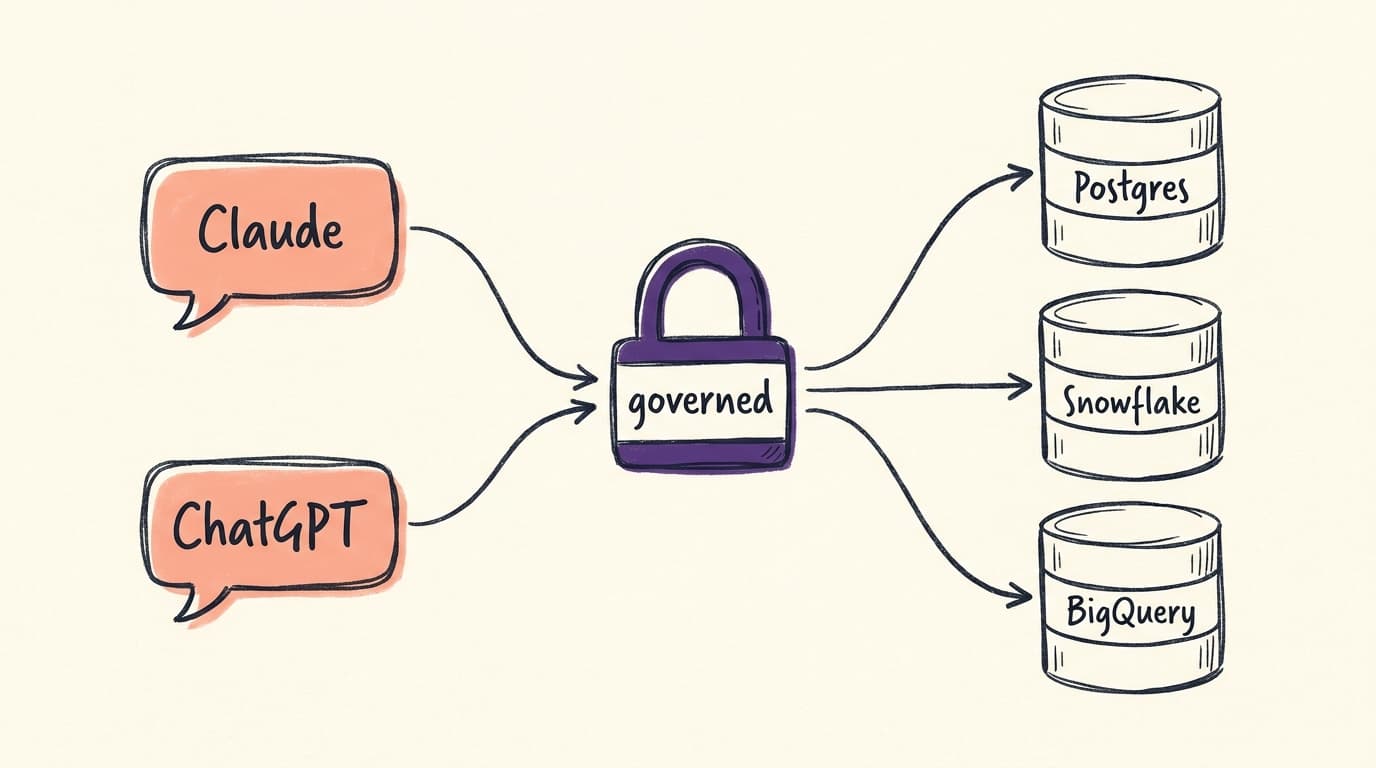
How to connect Claude to Postgres without giving it write access
7 min read

How to build a BI dashboard with Claude that your team can actually trust
8 min read

How to give Claude read-only access to your database (it isn't always the default)
7 min read

You connected your warehouse to Claude, now what?
5 min read
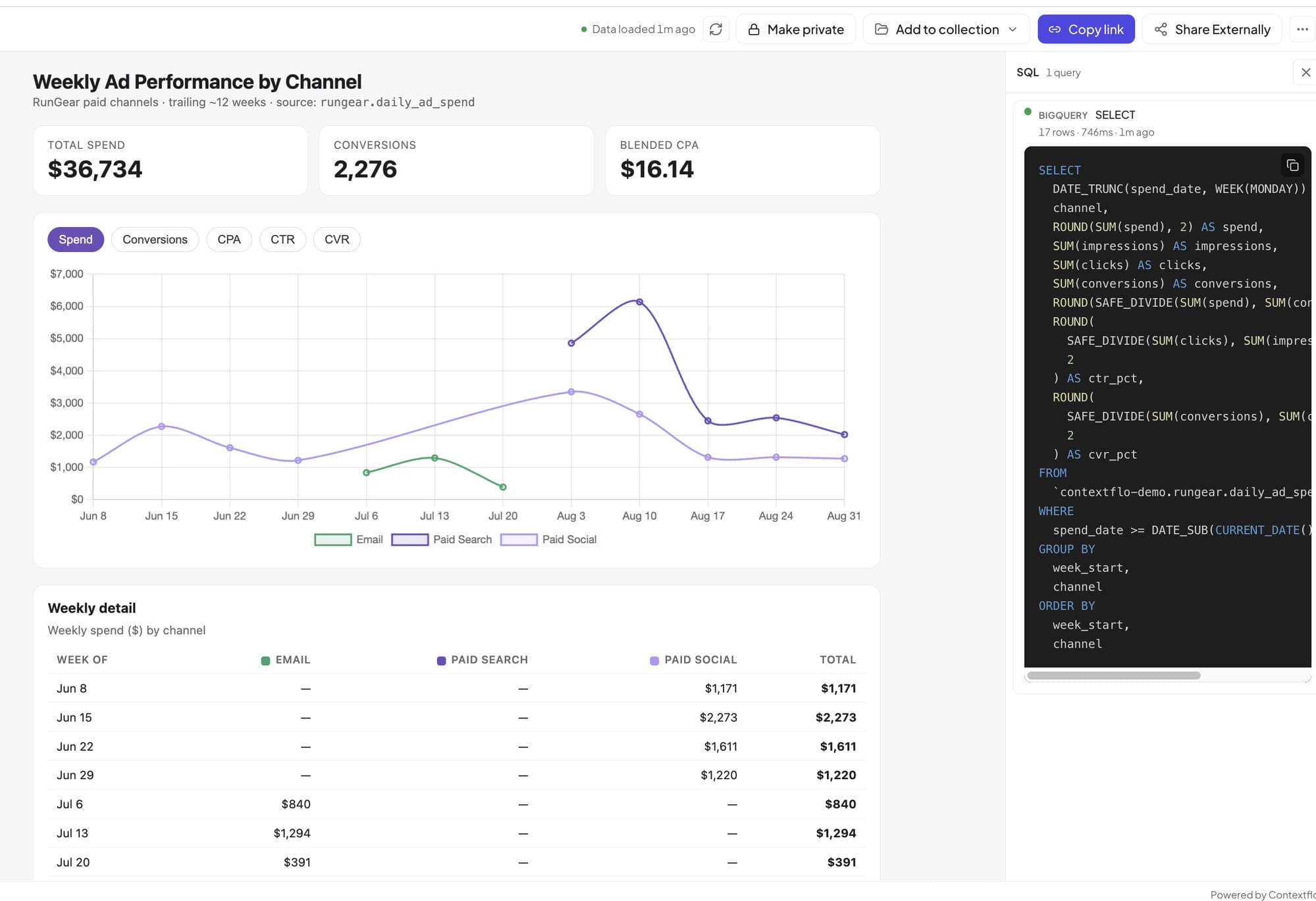
How to host and share Claude artifacts with your whole team
3 min read

Why is the team missing sprint goals? How to analyze Jira data with AI
8 min read

Are my ads actually profitable? How to analyze Facebook and TikTok ads together with AI
7 min read