The team self-serve analytics setup checklist
Hi, this is Vivek, building Contextflo. I share practical notes on getting answers from your data, a couple of times a month.
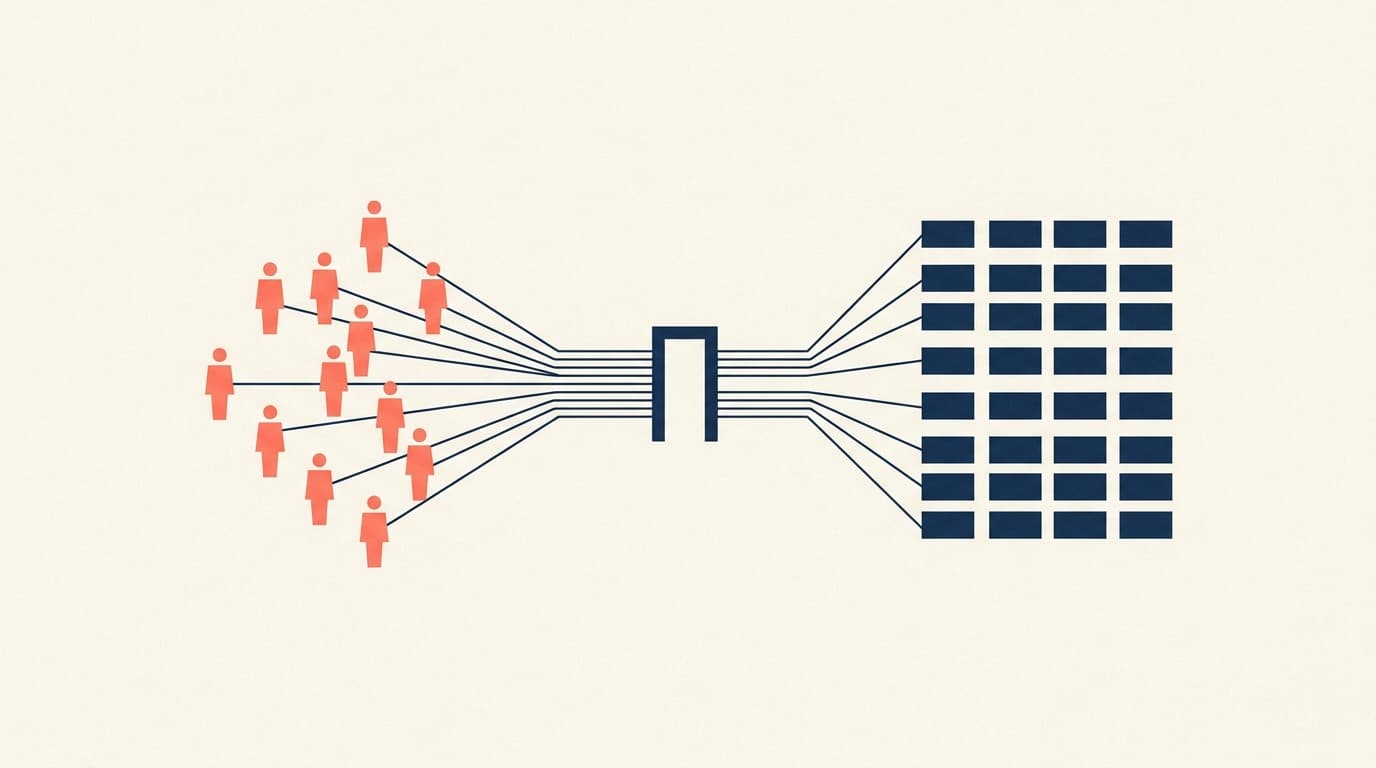
Setting up Claude for analytics happens in two phases. Phase 1 is getting it working for yourself: connect the database, ask questions, sanity-check the SQL. That takes an afternoon. Phase 2 is rolling it out to the team.
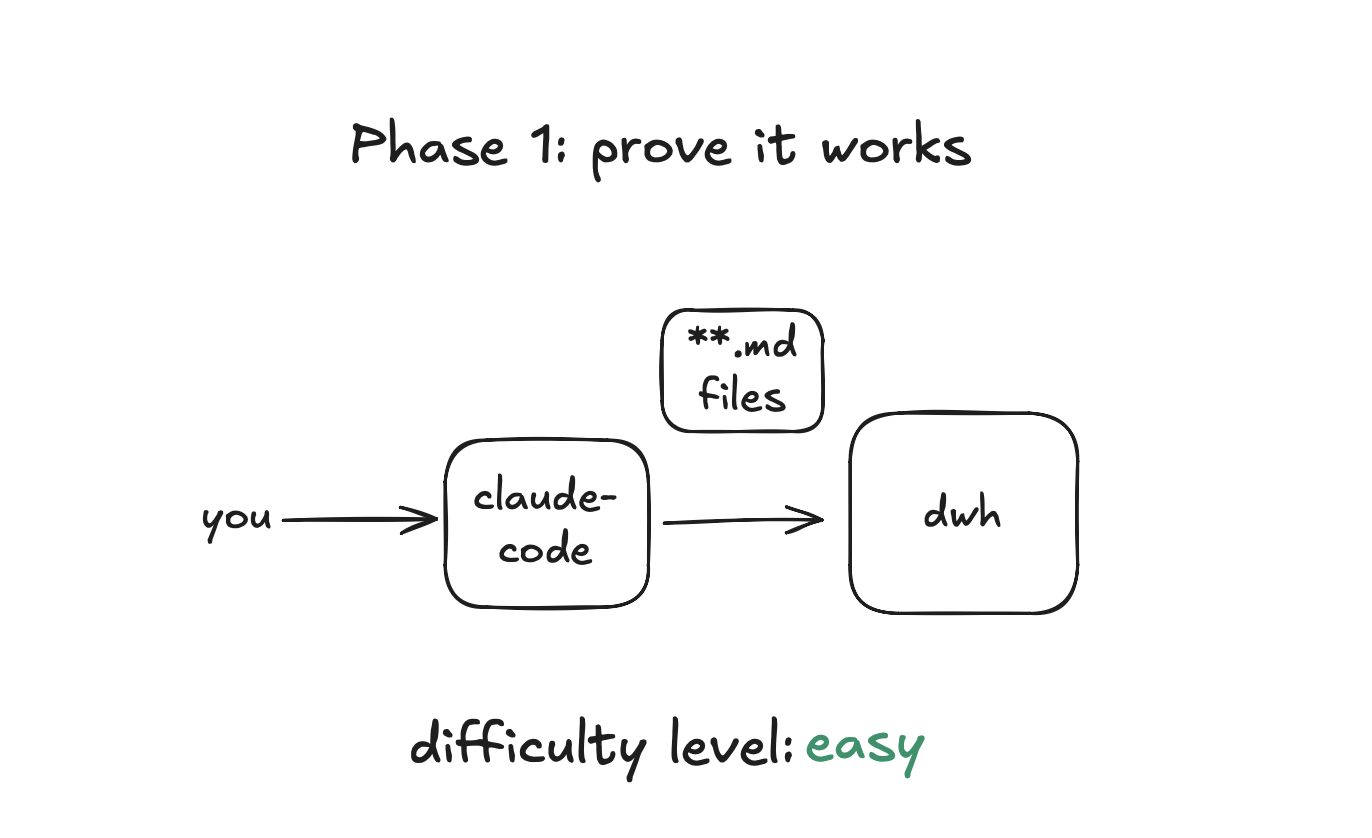
These sound like step one and step two of the same project. They are not. In phase 1 you are technical, you know the schema, and you catch wrong answers because you read the SQL. In phase 2 your ops lead is asking the questions. She will not maintain a markdown file of table notes or review generated SQL, and she probably should not be able to query every table you can.
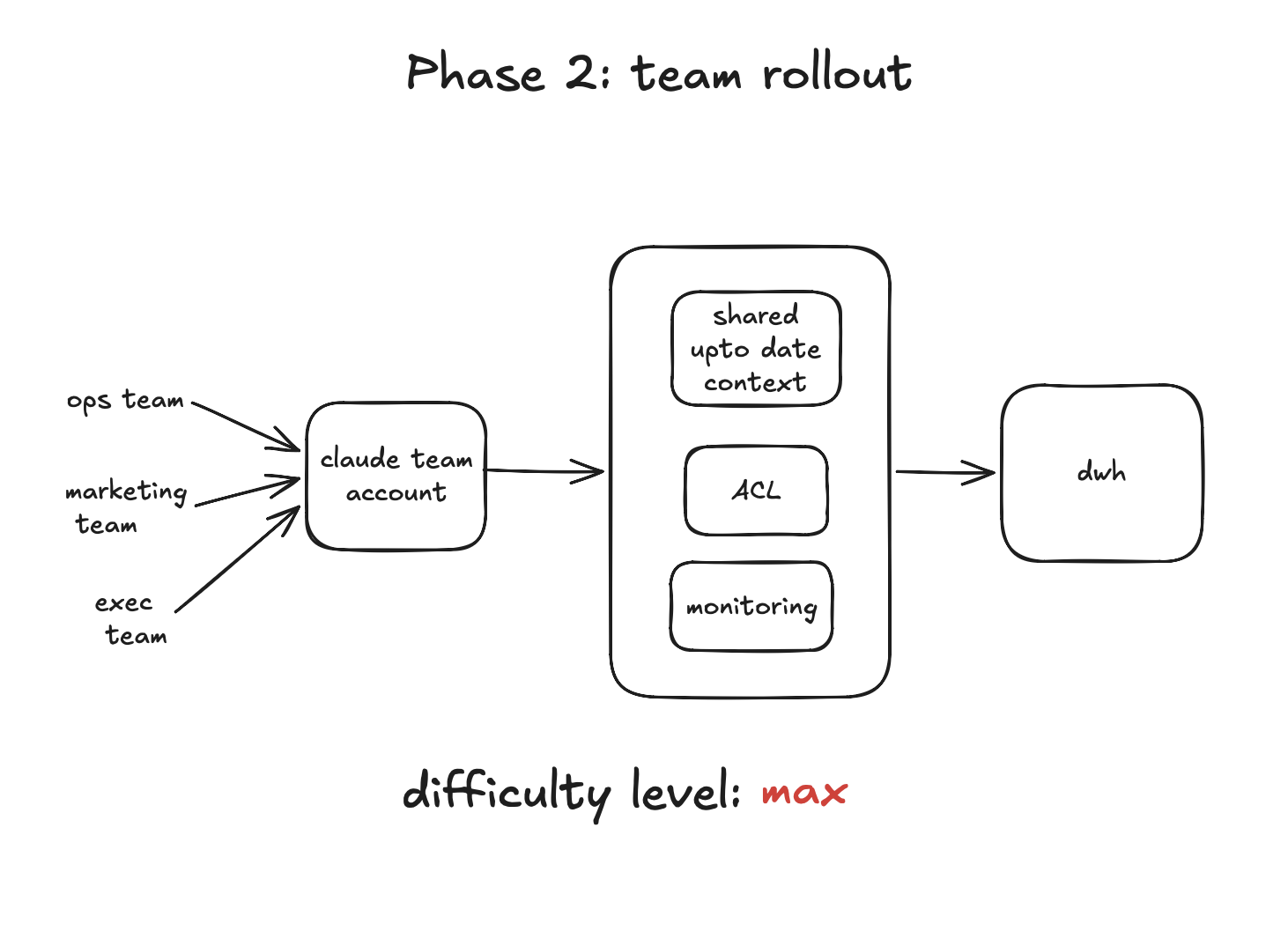
This is the checklist for phase 2. It is the list I go through with every team we onboard, and it works whether you are building the setup yourself or using a platform. Five groups: access, context, visibility, rollout, maintenance.
Access
- Every person authenticates individually. No shared connection string, no API key in a team wiki. If the database only ever sees one service account you have lost who-asked-what forever, and offboarding means rotating a secret everyone has.
- Table access is scoped per person or group. Ops sees order tables, not payroll. This is not only a security control, it is an accuracy control: an agent choosing between the twelve tables relevant to your job gets confused less often than one choosing between all two hundred.
- The AI's database role is read-only, against a replica. The agent can never write, and a runaway analytical query cannot slow production.
Context
- Tables and columns have descriptions the AI can use. Not just names. What the status enum values mean, which timestamp to use for reporting, which of the three revenue-ish columns is the real one. The best source is wherever this knowledge already lives: your schema, your source code, your internal docs.
- Core metrics are defined once, in writing. Revenue, active user, churn. If the definition is not written down the model re-derives it every session, and two people asking the same question get different numbers.
- The questions each team asks most have curated, vetted queries. Before Quark Expeditions opened access to their marketing and ops teams, they curated the common questions those teams ask, so day-one answers came from vetted SQL rather than fresh guesses. Ten canonical queries cover a surprising share of any team's real questions.
Visibility
- Every question and query is logged, with the human attached. "The service account ran 400 queries yesterday" is not an audit trail. You want who asked, what they asked in plain English, what SQL ran, and what came back.
- Errors are monitored, not just logged. Failed queries cluster into patterns (wrong column guesses, permission denials, timeouts), and the patterns tell you exactly what context is missing.
- Users can flag a wrong answer. The people asking will spot wrong numbers before you do. Give them a one-click way to say "this looks off" that lands somewhere you will actually see.
Rollout
- Start with one team, not the whole company. Pick the team with the most repetitive question load. Curate their questions first, then open access.
- Meet people in the tool they already use. If the team lives in Claude, roll out in Claude. Asking people to adopt a new interface and a new habit at the same time kills adoption.
- Someone owns the setup. Usually whoever owns the data. It is not a full-time job, but wrong answers need a name attached to fixing them.
Maintenance
Phase 2 does not end at rollout. The setup you launched with degrades quietly: schemas change, questions evolve, definitions go stale. Maintenance is the loop that keeps it trustworthy.
- Review what people are actually asking. Weekly at first. The questions tell you what context to add next, and which teams are ready for access.
- Watch where the agent fails. Wrong column guesses point to missing table context. Repeated permission errors point to someone who needs access they do not have. Inconsistent numbers point to an undefined metric.
- Keep context in sync with the schema. A column rename silently breaks every saved query and description that referenced it. Schema sync should be automatic; if it is not, put a recurring reminder on the calendar, because nobody re-audits docs voluntarily.
- Retire what is stale. Deprecated tables, old metric versions, queries nobody runs. Stale context does not just sit there, it actively misleads the model.
How Contextflo covers this
We built Contextflo because most of this list should not be your job to assemble. Individual OAuth per user, per-user and per-group table scoping, context generated from your actual sources, shared metric definitions and saved queries, full question-and-query logging per user, error monitoring, and daily schema re-sync.
Setup takes about fifteen minutes, so you can run phase 1 on it and have phase 2 already wired when you are ready.
Whatever you use, run the checklist. The teams that skip it do not find out until a wrong number reaches a decision.
Here is a more in-depth look at Contextflo and how it works.
What is Contextflo?
Contextflo is a governed context layer between your data and the AI your team already uses. Connect your warehouse once, and your team asks questions in their own Claude or ChatGPT. The model writes and runs the SQL; Contextflo supplies the definitions, the per-user access control, and the audit that make the answers trustworthy. Your data never moves, and you do not need a data team.
How it works
Your team queries in their own Claude or ChatGPT over MCP, so you bring any agent rather than a locked-in bot, and every answer comes back with the SQL shown and access enforced per user.
Find out if Contextflo is the right fit for you.
See how teams use Contextflo


Related posts

Keep reading

Conversational analytics: 5 ways to set it up, compared
7 min read

How to connect Claude to BigQuery? What works and what doesn't in 2026
8 min read

How to connect Claude to Postgres without giving it write access
7 min read

How to build a BI dashboard with Claude that your team can actually trust
8 min read

How to give Claude read-only access to your database (it isn't always the default)
7 min read

You connected your warehouse to Claude, now what?
5 min read

The official Postgres server for Claude is archived. Here's what to use instead.
7 min read

Why is the team missing sprint goals? How to analyze Jira data with AI
8 min read

Are my ads actually profitable? How to analyze Facebook and TikTok ads together with AI
7 min read