Eval Sets
Check every week that your team's most important numbers still come out right, however people phrase the question
Last updated: 11/16/2026
An eval set is a list of the questions your team asks most, each with a trusted answer. Every week Contextflo asks each question the way your team actually phrases it and flags any answer that no longer matches.
What is an eval case?
Each case has three parts:
- A trusted query. The SQL that gives the right answer, usually taken from a metric or saved query. Contextflo keeps a frozen copy, so a later edit to the metric can't quietly change what counts as right.
- 2 to 4 phrasings. The ways people on your team ask the question, for example "What was revenue last month?" and "How much did we make in October?"
- A time period. Like last full month or last full week. Each run fills in the dates, so the case never goes stale.
On each run, Contextflo's agent asks every phrasing on its own, the way a teammate would, and checks the answers against the trusted one and against each other.
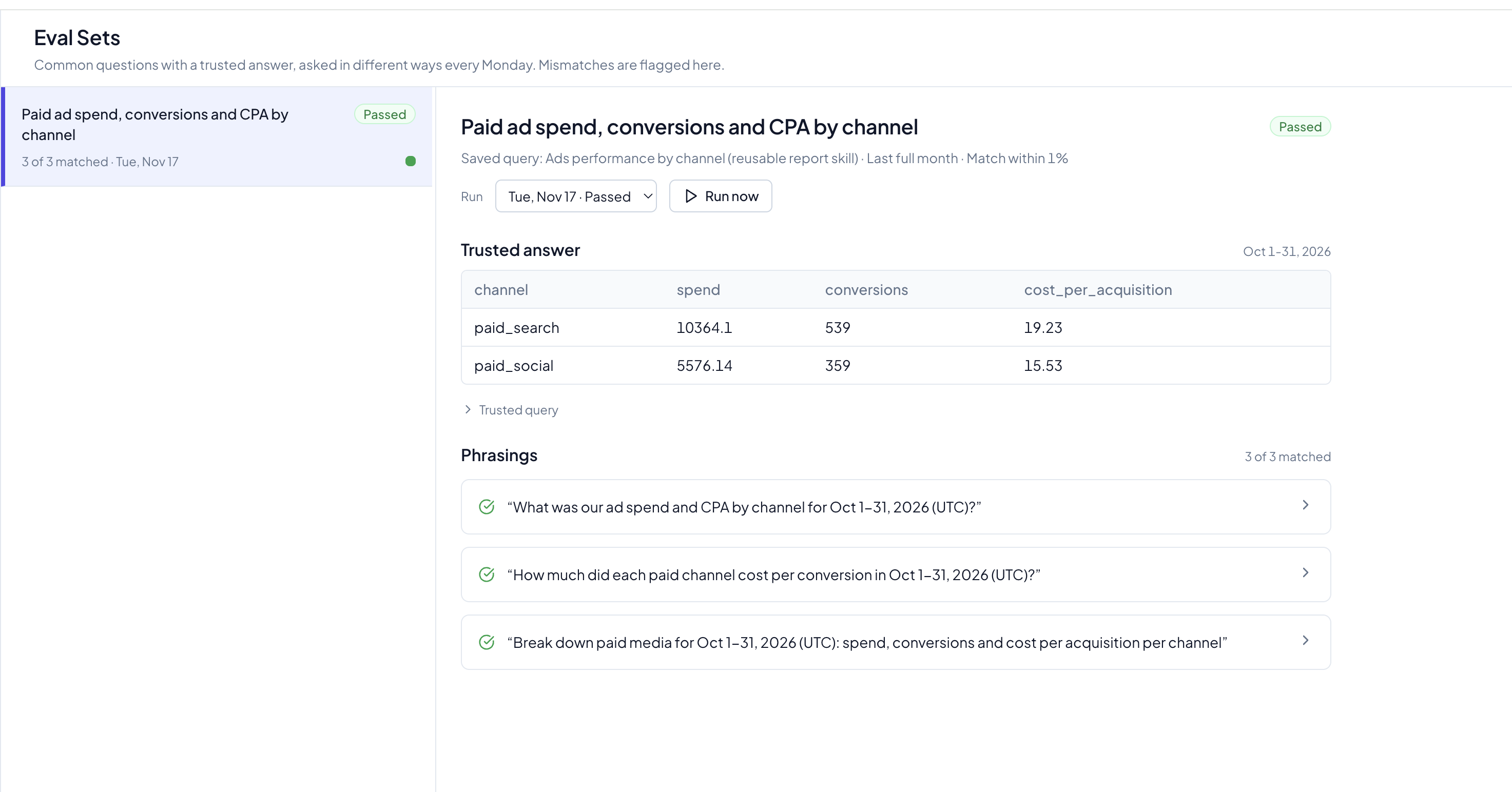
How do I set one up?
- Ask your agent to create a case. For example: "Add our net revenue metric to the eval set for last full month, with three ways people on the team would ask it." It drafts the trusted query and phrasings and runs the query once to record the baseline.
- Review it. Check the trusted answer and the phrasings. A draft isn't checked until you approve it.
- Approve it. Ask your agent to approve the case. From then on it runs every week.
- Run it any time. Open Eval Sets (under Admin) and click Run now, or ask your agent to run it.
Start with one case per metric your leadership looks at every week. Creating and approving cases is admin-only.
Reading the results
Eval Sets lists every case with its latest result. Open a case to see the trusted answer, each phrasing's answer, and the agent's steps for each one.
- Passed: every phrasing matched the trusted answer.
- Drifted: at least one phrasing came back with a different answer. Open it to see which, and why.
- Trusted query failed: the trusted query errored or its result changed shape, often because a table changed. Phrasings aren't asked until it's fixed.
- Error: a phrasing couldn't be checked this run.
A drifted answer usually points to missing context: a column the agent misread, or a definition it didn't use. Fix the table description or metric, then click Run now to confirm.