How to connect Claude to your database with MCP
Hi, this is Vivek, building Contextflo. I share practical notes on getting answers from your data, a couple of times a month.

You connect Claude to a database with MCP. You run an MCP server that exposes your database as a tool Claude can call, point Claude at it, and now Claude can list your tables, read your schema, and run SQL to answer questions. For one technical person on their own database, it takes about ten minutes.
The rest of this post is the actual how: what MCP is, the three steps to wire it up, which server to use for your database, and the honest place where the ten-minute version stops being enough.
What is MCP, quickly
MCP stands for Model Context Protocol. Anthropic released it in late 2024, and most major model providers support it now. The easiest way to picture it is a USB port for AI. Before MCP, if you wanted Claude to reach your database you wrote custom glue for that one job. MCP is a shape everyone agreed on, so the glue is standard and reusable.
An MCP server is the thing on the other end of the port. It tells Claude "here are the tools I offer." A database MCP server offers something like run_query and list_tables. Claude reads that menu, picks a tool, calls it, and uses what comes back. When you ask "how many signups last week," Claude writes the SQL, calls the tool, the server runs it against your database, and Claude reads you the number.
The three steps
Every direct connection, whichever database you're on, comes down to the same three moves.
- Create a read-only database user. This is the one step people skip and later regret. The AI should never be able to write, drop, or update. Point it at a read replica if you have one, so an accidental heavy query can't touch production.
- Run an MCP server for your database. There's an open-source server for every major database (more on which one below). You give it the read-only connection string and start it.
- Point Claude at it. In Claude Desktop that's a few lines in the config file; in Claude web it's adding a custom connector in settings. Claude picks up the tools and you're querying.
For a solo technical founder poking at their own database, this is genuinely great. You know your schema, you can read the SQL Claude writes, and you'll notice when something looks off.
Which MCP server for your database
The connection details differ per database, and we've written a step-by-step guide for each, covering both the DIY MCP route and the governed setup:
- Connect Claude to Postgres
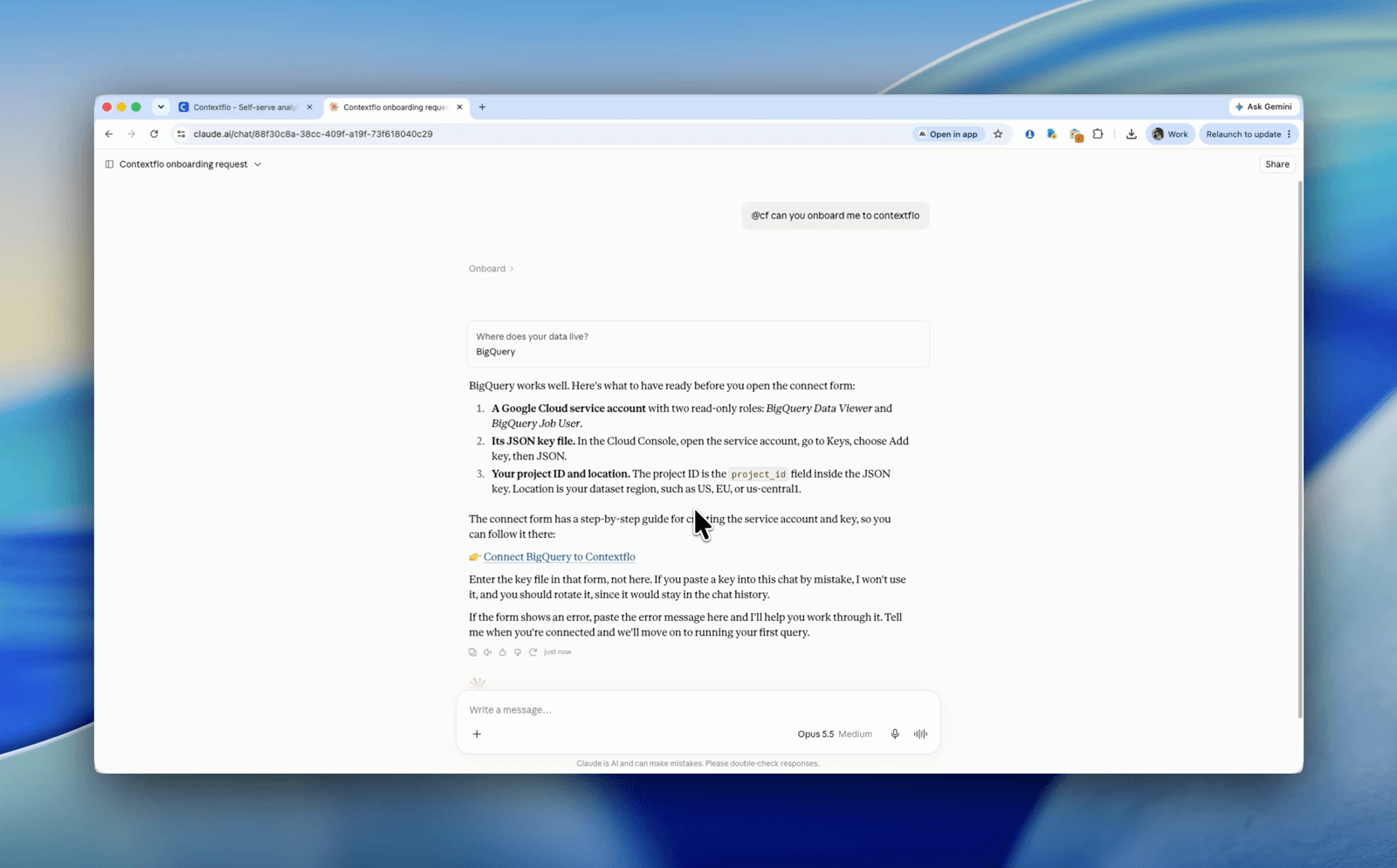
- Connect Claude to BigQuery
- Connect Claude to Snowflake
- Connect Claude to Redshift
- Connect Claude to Databricks
- Connect Claude to ClickHouse
Some databases ship their own managed MCP server (Databricks does through Unity Catalog, for instance), so you may not even need to run the process yourself. For most of the others, the open-source community server plus a read-only role is the standard starting point. And if your data is in a CSV rather than a database, the same idea applies through a CSV MCP server.
Where the ten-minute version stops working
A raw MCP connection is one credential and one level of access. That's fine for one person. It starts to hurt the moment a second and third person want in, and it hurts in specific, predictable ways.
- Everyone sees everything. One connection string means your marketing lead can query payroll and your contractor can query customer PII. You can scope this with database roles, but now you're managing database users for every person and every tool.
- Answers drift. Claude guesses what "revenue" means from your column names, and it guesses fresh every conversation. Two people asking the same question won't reliably get the same number.
- Credentials sprawl. Each person keeps the database password in a local config file. Someone leaves and you're rotating secrets for the whole team.
- No trail. Nobody can see what was asked, what SQL ran, or whether the answer was right. When a wrong number lands in a decision, there's nothing to trace.
None of these are AI problems. They're infrastructure problems, and they're the reason teams move from a raw connection to a governed layer. We cover the full picture, including what "safe" actually means, in connecting AI to your company data, and the build-vs-buy math in DIY MCP vs Contextflo.
Where Contextflo fits
Contextflo is a managed MCP layer between Claude and your database. You connect the database once with read-only credentials, it auto-generates the context (what your tables and columns actually mean) from your schema, your code, and your docs, and it runs the MCP server so nobody on your team has to. Your team connects Claude to Contextflo, not to the raw database.
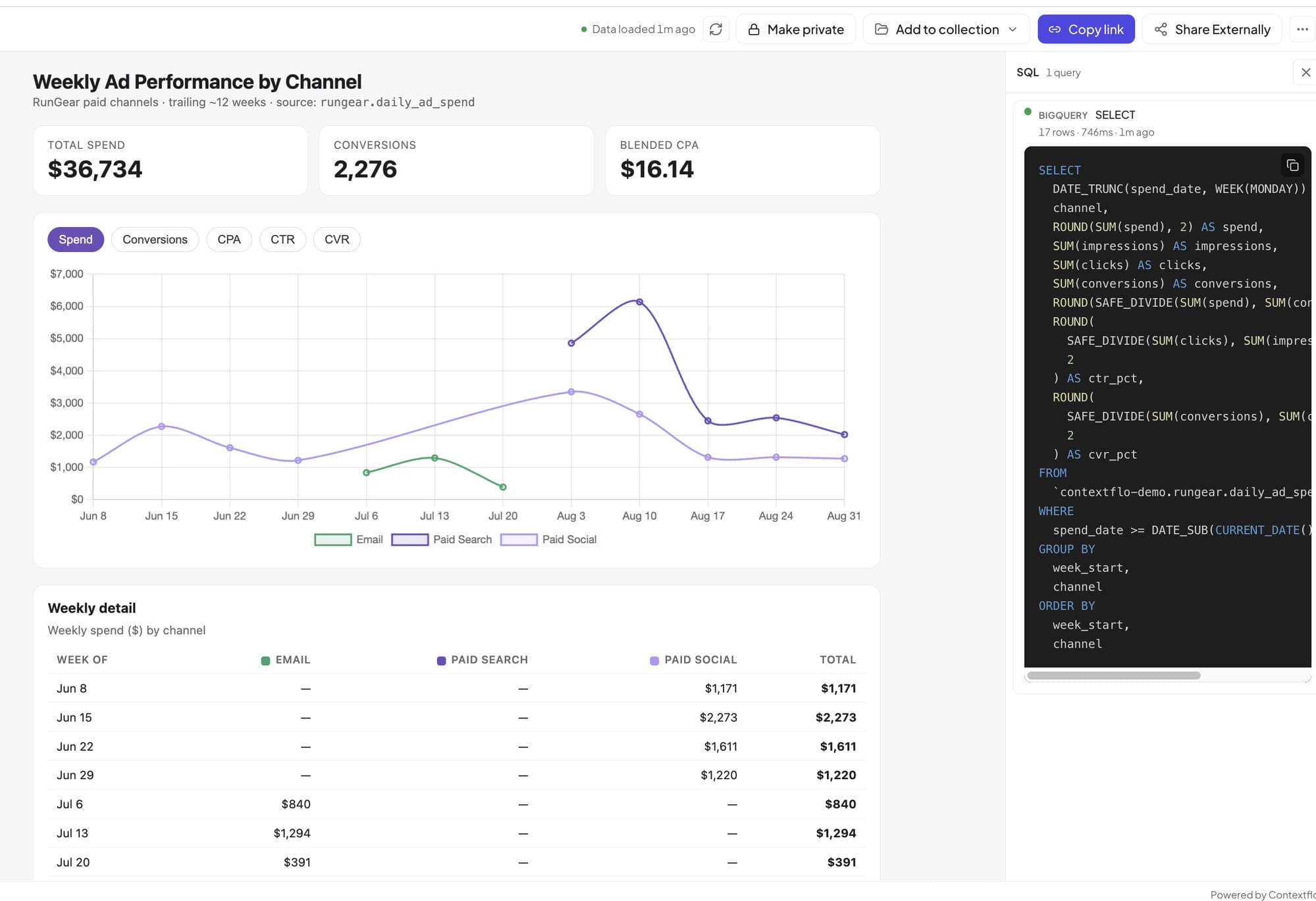
Each person authenticates individually. Access controls scope what each person can query. Every question and query is logged. Definitions are shared, so the same question gets the same answer. And it helps even if you're one person: a raw MCP connection just runs queries, while Contextflo gives Claude the context, from your schema, code, and docs, to answer them accurately. Just MCP is not enough for answers you can trust. The only time to skip it: you're solo, you want a plain connection, and you never intend to bring anyone else in. Then a raw MCP server is the simpler choice.
FAQ
How do I connect Claude to my database with MCP?
Create a read-only database user, run an MCP server for your database with that connection string, and add it to Claude as a connector. Claude then reads your schema and runs SQL to answer questions. For a team, a managed layer like Contextflo runs the server for you and adds per-user access control.
Can Claude modify or delete my data over MCP?
Not if you connect with a read-only database role, which should be the baseline. A governed layer adds a second gate by only allowing read queries through, so a misconfigured role doesn't become an incident.
Do I need to write code to connect Claude to a database?
No. There are open-source MCP servers for every major database you can run without writing any, and managed services connect with no server to run at all. You only write code if you want to build your own server.
Does this work with ChatGPT too?
Yes. MCP is not Claude-specific. ChatGPT supports custom MCP connectors, though the setup is gated by plan. Any MCP server for your database works with both, and a governed layer works with either tool.
Here is a more in-depth look at Contextflo and how it works.
What is Contextflo?
Contextflo is a governed context layer between your data and the AI your team already uses. Connect your warehouse once, and your team asks questions in their own Claude or ChatGPT. The model writes and runs the SQL; Contextflo supplies the definitions, the per-user access control, and the audit that make the answers trustworthy. Your data never moves, and you do not need a data team.
How it works
Your team queries in their own Claude or ChatGPT over MCP, so you bring any agent rather than a locked-in bot, and every answer comes back with the SQL shown and access enforced per user.
See it on your own data.
Connect your warehouse and your team can ask Claude about it the same day, without waiting on a data team. Want a walkthrough first? Grab 20 minutes.
Book a 20-minute callSee how teams use Contextflo


Related posts

Keep reading

Conversational analytics: 5 ways to set it up, compared
7 min read

How to connect Claude to BigQuery? What works and what doesn't in 2026
8 min read

How to connect Claude to Postgres without giving it write access
9 min read

How to build a BI dashboard with Claude that your team can actually trust
8 min read

How to give Claude read-only access to your database (it isn't always the default)
7 min read

You connected your warehouse to Claude, now what?
5 min read
How to use Claude to identify user fraud
6 min read

The official Postgres server for Claude is archived. Here's what to use instead.
7 min read

Why is the team missing sprint goals? How to analyze Jira data with AI
8 min read