Manage your context without leaving Claude
The definitions, table descriptions and metrics behind your team's answers used to live behind a trip to the Contextflo app. Now an admin can review them and fix them from the same Claude chat where the questions get asked.
The loop
- Ask what your team asked about this week.
- Find where answers ran without a saved definition.
- Fix it in plain words.
- It's saved to Contextflo, so everyone gets the same answer from then on.
All of it is admin-only. Your team keeps asking questions as usual.
1. See what your team asked
Ask Claude something like "What did the team ask about this week?"
Behind it, Contextflo's get-team-activity tool returns:
- the topics people asked about, with sample prompts,
- who was active and who wasn't,
- the most used metrics, saved queries and dashboards,
- the most queried tables,
- metrics and saved queries nobody used.
It defaults to the last 7 days. You can ask for any date range.
2. Find the gaps
Then drill in. Ask "Which questions this week ran without a saved definition?" or "Show me the queries that failed."
list-conversations filters the team's conversations by person, topic, keywords, failed queries, or queries that cited no definitions. get-conversation opens one: the prompts in order, the SQL each one led to, and whether it used a saved metric, a saved query, a business concept, or nothing at all.
The gaps tend to look like this:
- A table people query a lot that has no description.
- A metric like refund rate worked out differently in different chats.
- A question type that keeps failing.
3. Fix it in plain words
Tell Claude what's right, the way you'd tell a colleague.
- "Describe the orders_refunds table: one row per refunded order line."
set-table-contextsaves the description for the table and its columns. - "Define refund rate as refunds within 30 days of the order."
update-metricupdates the metric's name, description or SQL. New SQL is checked to be a valid read-only query first. - "Active customer means bought in the last 90 days."
update-business-conceptupdates a concept's name or description.
Only the fields you change are updated.
4. Everyone gets the same answer
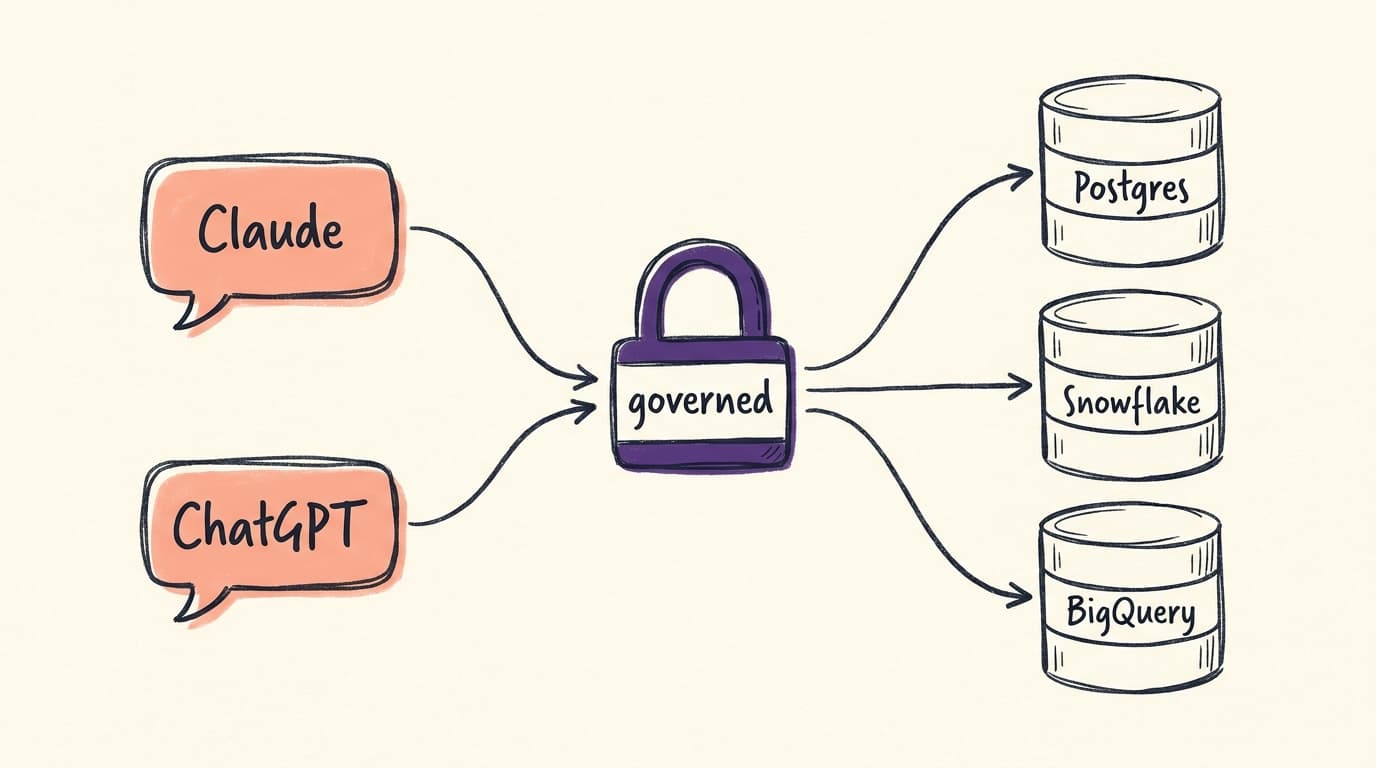
The fix lives in Contextflo, not in your chat. The next person who asks, in Claude, ChatGPT or any assistant connected to Contextflo, gets the corrected definition.
Setting up from Claude
New to Contextflo? Ask Claude to onboard you. The onboard tool shows your setup status, a checklist and the next step, and anyone can use it. Admins can also save the organization description and analysis guidance from the chat, if they aren't set yet.
You do the modeling, we do the rest. Get started free.
FAQ
Who can manage context from Claude? Admins of your Contextflo organization. Reviewing team activity and changing table descriptions, metrics and business concepts are admin-only. Everyone else keeps asking questions as usual and gets the updated definitions.
Does this work in ChatGPT too? Yes. The same Contextflo tools are available in any assistant connected to Contextflo, including ChatGPT, Cursor and Codex.
Can Claude break a metric by editing it? New SQL for a metric is checked to be a valid read-only query against the metric's data source before it's saved. Only the fields you change are updated.
Does reviewing team activity show query results? No. You see who asked, the prompts, a summary and the SQL each question led to. Query results aren't returned.
See it on your own data.
Connect your warehouse and your team can ask Claude about it the same day, without waiting on a data team. Want a walkthrough first? Grab 20 minutes.
Book a 20-minute callSee how teams use Contextflo
Related posts

Keep reading
Conversational analytics: 5 ways to set it up, compared
7 min read
How to connect Claude to BigQuery, and fix the errors you'll hit
8 min read
How to connect Claude to Postgres without giving it write access
9 min read

How to build a BI dashboard with Claude that your team can actually trust
8 min read
How to give Claude read-only access to your database (it isn't always the default)
8 min read

You connected your warehouse to Claude, now what?
5 min read

Seven questions, $15: where a Databricks Genie bill actually comes from
7 min read

Why Claude gets your GA4 data wrong (and the free skill that fixes it)
7 min read
Does money help win elections? Answered with data from SF's November 2026 election
11 min read