Why we built our own Postgres MCP server
Hi, this is Vivek, building Contextflo. I share practical notes on getting answers from your data, a couple of times a month.

The official Postgres MCP server was archived in 2025 with a SQL injection hole that let COMMIT; DROP SCHEMA public CASCADE walk out of its read-only transaction. The servers that replaced it got good at the part it got wrong: running your query safely, and some now pass along your table comments. None of the common ones gives you a place to keep what your data means and lets the agent add to it, and that is where the wrong answers come from.
We ran into this from both ends. Our own guide to using Claude with Postgres once shipped the archived package as its copy-paste snippet, with the security warning sitting underneath it, and when we went looking for a replacement to recommend, every candidate answered the same narrow question: can the model run a query without breaking anything? We wanted one that also knew what the tables meant, so we built it, and put it on GitHub under MIT.
Your schema is the easy part
A model that reads orders.total_amount numeric(12,2) writes perfectly plausible SQL. What it cannot read is that the amount is after discounts and before returns, that net revenue means subtracting refunds, that site_events only records sessions that ended in a purchase, or that a handful of customers are test accounts somebody forgot to flag.
That knowledge lives in people's heads and in a Slack thread from last spring. So the model does what any new analyst does on day one: it picks the reasonable interpretation and reports the result with complete confidence. The SQL is fine. The number is wrong.
What do the other servers hand the model?
Every server below reads your schema. The differences are in what else reaches the model, and whether anything it learns survives the session.
| Server | Table and column comments | Your own definitions | Agent can save what it learns | Read-only |
|---|---|---|---|---|
Archived server-postgres[1] | Not read | None | No | Read-only transaction, escaped by a stacked COMMIT |
| Postgres MCP Pro[2] | Not read | None | No | Restricted mode: SQL allowlist and read-only transaction |
| Supabase MCP[3] | Table and column comments | None | No | read_only flag runs as a read-only user |
| Neon MCP[4] | Column comments only | None | No | readonly flag, read-only transaction |
| MCP Toolbox for Databases[5] | Table and column comments | Tool descriptions and MCP resources in YAML | No | No read-only mode for Postgres; relies on the role |
| DBHub[6] | Table comments and column descriptions | A source description and custom SQL tools in dbhub.toml | No | readonly mode, read-only transaction |
@contextflo/postgres-mcp | Seeded from comments into an editable file | A markdown file in the project | Yes, append-only notes | Protocol, transaction, parser, and function checks |
Toolbox deserves more credit than it usually gets: it can serve a hand-written glossary file as an MCP resource, which is a real way to supply business context, although many clients handle resources worse than tools. Where Toolbox and DBHub let you describe things, it is static config the agent can read but never change.
The one tool that does context and memory properly is Wren AI[7], with a semantic layer, an instructions.md for definitions, and a memory of confirmed questions and their SQL. It is a full BI platform with its own engine, though, not a Postgres server you add with one line. If you want a semantic layer, look at it.
Context is a file in your project
@contextflo/postgres-mcp keeps everything the model should know in one markdown file, .contextflo/context.md. You do not start from a blank page:
npx @contextflo/postgres-mcp init
init reads your schema and writes the file, seeding every table and column description from your existing COMMENT ON values. Then you add the rules nobody wrote down:
## Business definitions

- Revenue is orders.total_amount: after discounts, before returns.
- Net revenue subtracts refunds, counted against the order's date.
- All timestamps are UTC. Weeks run Monday to Sunday.

## Tables

### public.orders
One row per order. Source of truth for revenue; orders_legacy is not.

- status: pending, paid, refunded. Also 'void' on rows before 2022.
The business definitions reach the model at the start of every session, and again at the top of list_tables, because some clients never show a server's instructions. Table and column notes come back inside every get_table_context answer. Edit the file and the next tool call sees the change; there is nothing to restart or reindex.
Why a file and not a feature inside one AI tool? Because the agent is the part you will swap. Claude Code today, Cursor for the frontend team next quarter. The file stays in the project, goes into git with the code it describes, and gets reviewed in a pull request like everything else. Any MCP client that runs the server reads the same definitions, so the answer to "what was revenue last month" does not depend on which tool somebody happened to open.
The agent writes some of it too
Most of what a team knows about its data was learned the hard way, one wrong answer at a time. The server gives the agent a way to keep what it learns: an add_table_context tool that appends a note to the file.
In the demo below, running against a sample store in Postgres, Claude is asked where people drop off between viewing a product, adding it to the cart, and checking out. It does not produce drop-off rates. It finds that all 19,029 sessions have exactly one event for each step, that 62% of them have their timestamps out of order, and that in-store and popup orders somehow generate web events. So the table only holds sessions that ended in a purchase, and it says the funnel cannot be measured from it.
Then it suggests writing that down. Asked to, it adds a note to site_events and three column notes, and leaves out its guesses about why the data looks this way, since nobody has confirmed them. The next session starts knowing the table is not a funnel.
Notes are only ever appended, never swapped in for what a person wrote, and only for tables and columns that exist, so a guessed table name cannot become a heading.
The real safeguard is that the file lives in your repo. Every note shows up in a diff before anyone relies on it, and that review matters: a model can be wrong, and text sitting inside your data can steer what it writes. If you would rather curate by hand, --no-context-writes turns the tool off.
Read-only, checked at every layer
The archived server treated read-only as a property of the SQL string, which is why a semicolon was enough to escape it. This one checks it in four places. Two of them would have stopped that payload by themselves:
- User SQL goes over Postgres's extended query protocol, which refuses more than one statement per call.
- The connection defaults to read-only, and every statement also runs in an explicit
BEGIN READ ONLYthat ends inROLLBACK, neverCOMMIT. - The real Postgres parser, compiled to WebAssembly, checks the whole statement tree against an allowlist, which catches an
INSERThidden inside aWITH. - Functions are checked against the database's own catalog. Postgres labels every function immutable, stable, or volatile, and only volatile ones can have side effects, so a volatile function is refused unless it is on a short list analysis needs, like
random()or the table size functions.
The end of the video shows the easy case: asked to delete the orders table while connected as the database owner, the server refuses with "This server is read-only; DROP is not allowed", and all 9,514 orders are still there. The fourth layer came from what happened next. We kept the agent on owner credentials and asked it to find a way around the checks, and it did: a function a plain SELECT can call, which Postgres allows inside a read-only transaction. pg_logical_emit_message writes to the WAL. No table data could change through it, but it is a write. Adding it to a list of banned names would have held until the next one, so the server now asks Postgres which functions have side effects and refuses those, including any a future release adds.
Pair it with a database role that cannot write. Code has bugs, and a role is enforced by Postgres no matter what the server does.
Set it up in four steps
- Create a read-only role, as the database owner:
CREATE ROLE mcp_readonly LOGIN PASSWORD 'change-me';
GRANT CONNECT ON DATABASE mydb TO mcp_readonly;
GRANT USAGE ON SCHEMA public TO mcp_readonly;
GRANT SELECT ON ALL TABLES IN SCHEMA public TO mcp_readonly;
ALTER DEFAULT PRIVILEGES IN SCHEMA public GRANT SELECT ON TABLES TO mcp_readonly;
- Put its connection string in
.envin your project, so it never appears on a command line:
DATABASE_URL='postgresql://mcp_readonly:[email protected]:5432/mydb'
-
Generate the context file with
npx @contextflo/postgres-mcp init, then write your business definitions at the top. -
Add the server to Claude Code, scoped to the project:
claude mcp add postgres --scope project -- npx -y @contextflo/postgres-mcp
Claude Desktop, Cursor, and VS Code take a JSON config instead, covered in the README. If you are coming from the archived server, the tool is still called query and still takes sql, so swapping the package name is the whole migration.
Where it is rough
- The context file is one file per project. Sharing it means sharing the repo, and there is no way to give one person a table another cannot see.
- Agent notes are append-only. Correcting a wrong one is a human edit.
- The function check sees the functions a query calls directly and trusts their labels, so a user-defined function marked
STABLEthat writes anyway gets through, and so does a function reached through a view, an operator, or a cast. The read-only transaction still refuses changes to table data; the role is what stops the rest. - It is Postgres only. Your Stripe data and your warehouse need their own servers, and their own context.
When it is more than you
For a team, there are two paths. You can host the server yourself with --http, set AUTH_TOKEN so every client needs a bearer token, and keep the context file on the machine everyone connects to. Put TLS in front of it and keep it on a private network, because the token travels in plain text otherwise.
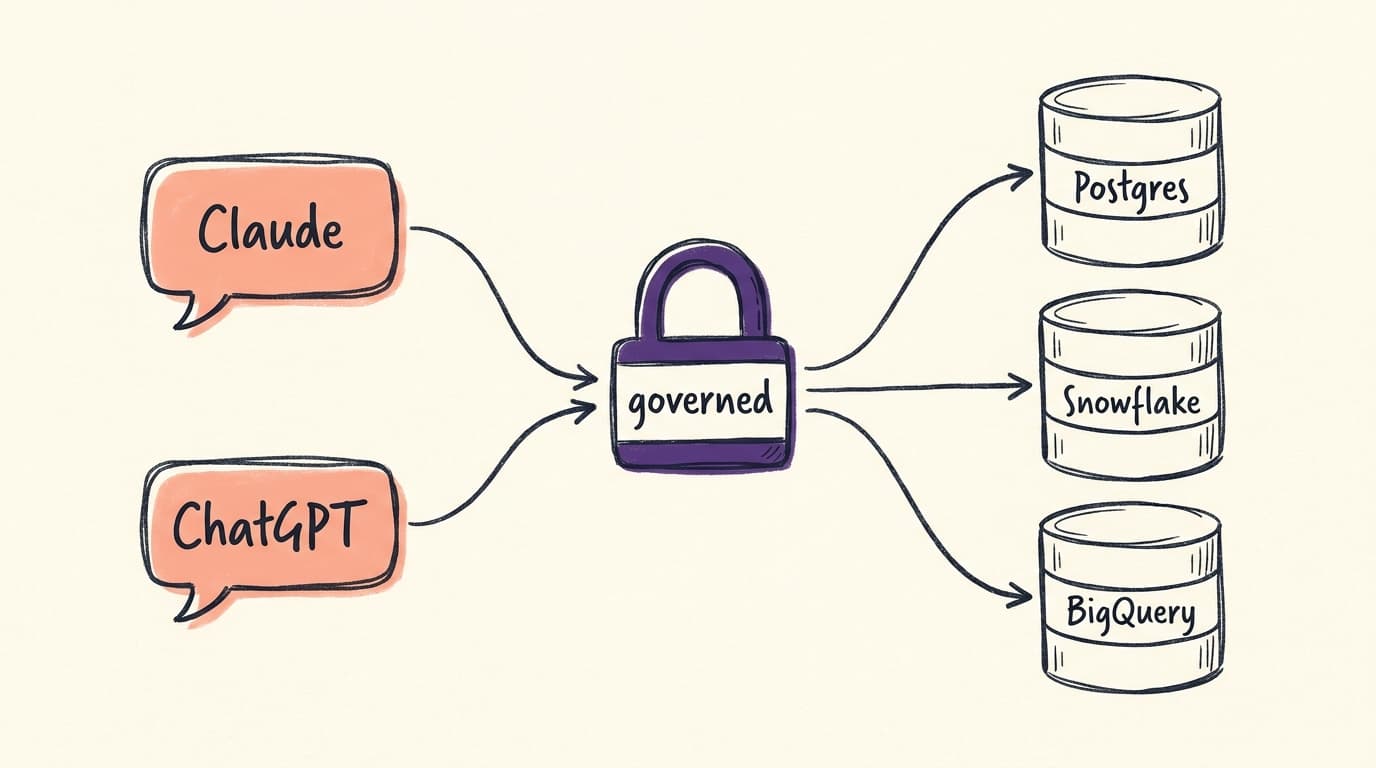
Or use Contextflo, which is the same idea run for you and taken further: per-person access control, an audit trail, context generated from your GitHub repo and docs as well as a file, and one place for Postgres alongside Snowflake, BigQuery, Redshift, Databricks, MySQL, and ClickHouse.
Either way, the server is on GitHub under MIT, and it takes one line to try. Your database already describes every column. The context file is where your team finally writes down what they mean.
FAQ
Is there a replacement for the archived @modelcontextprotocol/server-postgres? Yes. @contextflo/postgres-mcp keeps the same tool name and argument, so migrating is a package-name swap. It is MIT licensed and enforces read-only at the wire protocol, the transaction, the SQL parser, and a function policy, instead of trusting the SQL string.
What is the context file? A markdown file in your project, .contextflo/context.md. The init command seeds it from your database's COMMENT ON descriptions, you add business definitions, and the agent can append notes it learns with the add_table_context tool. The server hands it to the model on every session.
Does the context file work with Cursor or other MCP clients? Yes. The file lives in your project, not inside one AI tool, and any MCP client that runs the server gets it. Switch from Claude Code to Cursor and the context comes with you.
Can a team share it? The file can live in git, so a team shares it the way it shares code. For access control per person and more data sources than Postgres, host the server yourself over HTTP or use Contextflo, which offers both.
Find out if Contextflo is the right fit for you.
See how teams use Contextflo


Related posts

Keep reading

Conversational analytics: 5 ways to set it up, compared
7 min read

How to connect Claude to BigQuery (and fix the errors you'll hit)
8 min read

How to connect Claude to Postgres (and keep it read-only)
7 min read

How to build a BI dashboard with Claude that your team can actually trust
8 min read

How to give Claude read-only access to your database (it isn't always the default)
7 min read

You connected your warehouse to Claude, now what?
5 min read

Why is the team missing sprint goals? How to analyze Jira data with AI
8 min read

Are my ads actually profitable? How to analyze Facebook and TikTok ads together with AI
7 min read
Still building the weekly KPI report by hand? How to automate it with Claude
7 min read