Who gets to ask what: access control for AI analytics
Hi, this is Vivek, building Contextflo. I share practical notes on getting answers from your data, a couple of times a month.
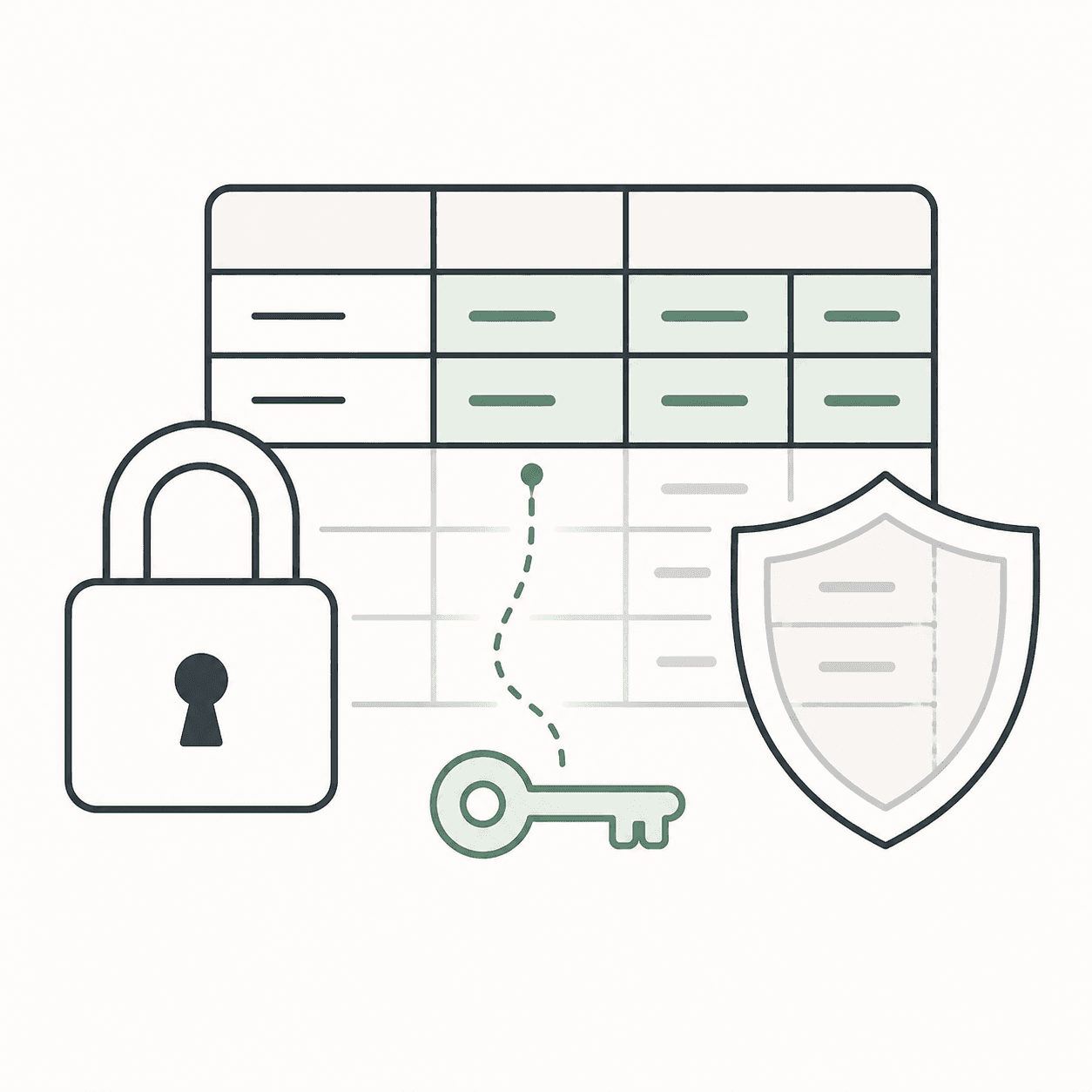
Your team just connected an LLM to your data warehouse. Now everyone can query data in plain English. That's the upside. The downside: everyone can query all the data.

The problem with unrestricted AI access
When you point an LLM at your warehouse, it connects with a single service account. One set of credentials, same access for everyone. The marketing intern and the finance director are running queries with identical permissions.
The obvious fix is to create per-user credentials at the warehouse level. Give each person their own BigQuery service account or Snowflake user, set table-level permissions, manage access by role.
In practice, almost nobody does this. It means:
- Creating and managing individual warehouse credentials for every non-technical user who wants to ask a question
- Updating permissions every time someone joins, leaves, or changes teams
- Your data engineer becomes an IT admin instead of doing data work
- Onboarding a new marketing hire now requires a BigQuery IAM change
So teams take the shortcut: one shared connection, same access for everyone, hope for the best. Which works until someone on the sales team pulls compensation data, or a contractor queries a table they shouldn't know exists.
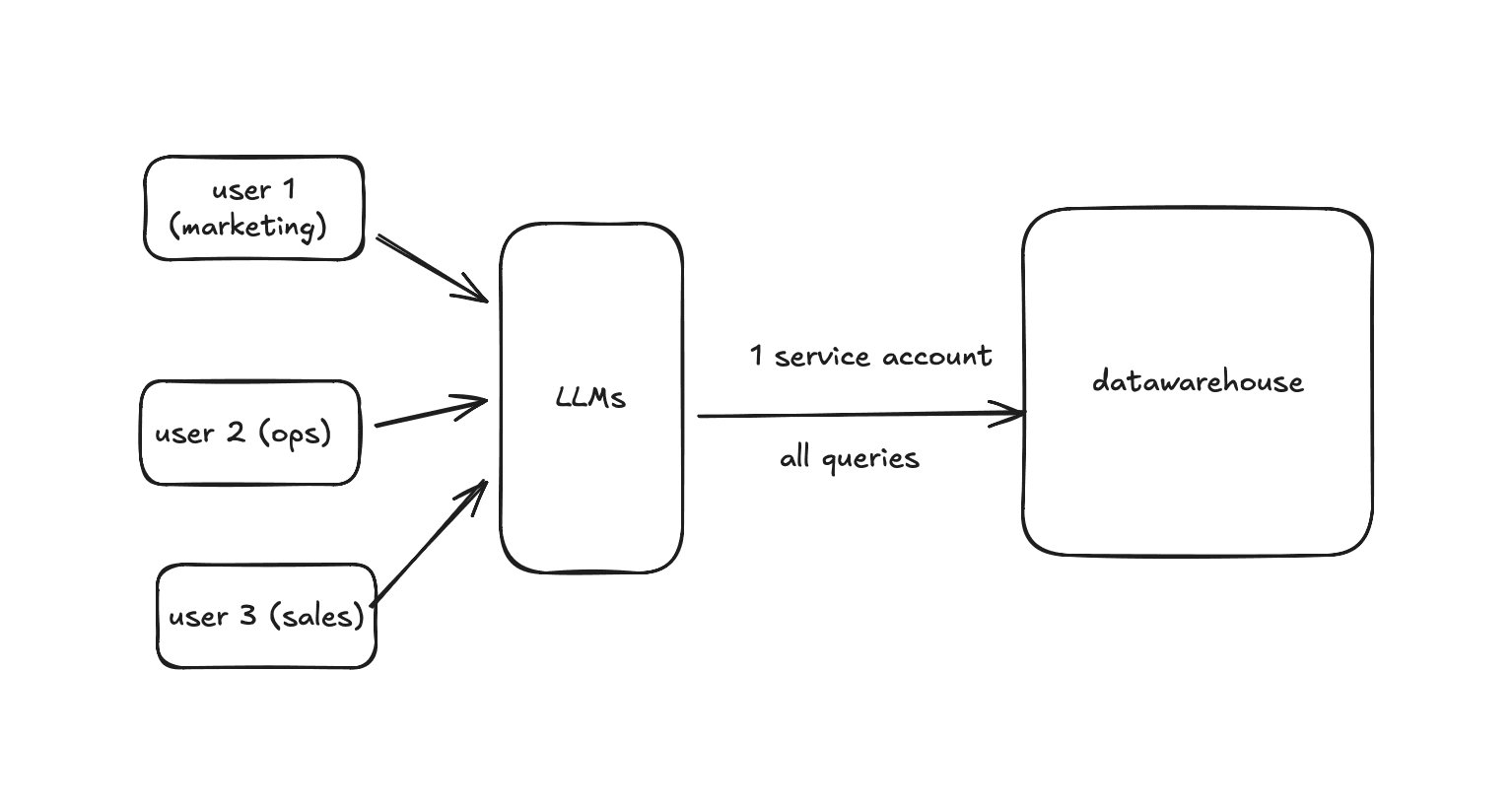
Without an access layer, every user gets the same unrestricted access.
Governance for AI analytics has two layers
1. Who can access what
Per-user warehouse credentials don't scale. The access layer should sit between the LLM and the warehouse, not inside the warehouse itself. Your warehouse keeps one clean service account. The application decides which tables each user can see based on their team, role, or access group.
When a user asks a question that requires a table they can't access, the query gets rejected with a clear reason. Not a hallucinated answer from whatever tables happen to be visible.
2. Who accessed what
When non-technical users start querying data through AI, you need visibility. What questions are being asked? What SQL got generated? Which tables were accessed?
This isn't about surveillance. It's about catching context gaps. If someone asks "what's our churn rate" and the AI gives a wrong answer, the admin needs to see that, define the missing concept, and fix it. Without an audit trail, bad answers circulate silently.
How Contextflo handles this
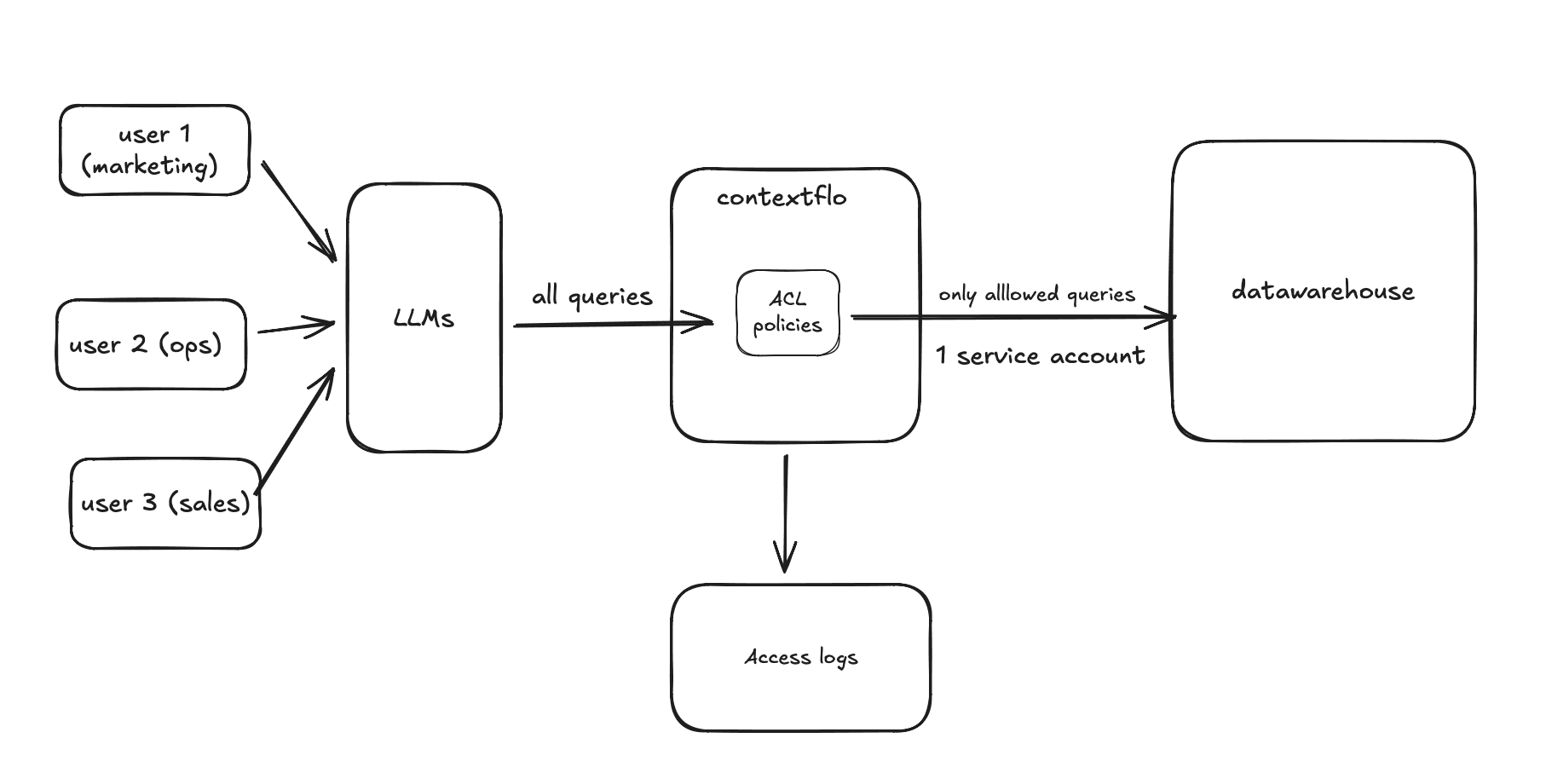
Contextflo adds governance between your users and your warehouse.
Contextflo sits between your LLM and your data warehouse. Your warehouse keeps a single service account. Governance happens at the Contextflo layer.
A marketing analyst asks:
"What's our CAC by channel this quarter?"
What happens:
- Contextflo scopes discovery to the analyst's access group, so the agent only sees marketing tables: spend, campaigns, attribution
- The agent generates SQL over the tables it can see
- As a backstop, Contextflo evaluates the SQL at query time: if the analyst points the agent straight at a denied table (finance, HR, comp), any query that touches it is rejected with a clear reason
- The query runs and the interaction is logged for admin visibility
Access groups
Admins define who sees which tables using namespace patterns: allow marketing tables, deny finance tables. New users inherit defaults. Deny always takes precedence. No warehouse credentials to manage per user.
Query logs
Full visibility into every interaction: the question asked, the SQL generated, and the tables accessed. Admins spot context gaps and fix them by adding missing business concepts or metrics.
Getting started
If you're evaluating AI analytics for your team, governance should be part of the conversation from day one. Not after someone queries a table they shouldn't have.
Here is a more in-depth look at Contextflo and how it works.
What is Contextflo?
Contextflo is a governed context layer between your data and the AI your team already uses. Connect your warehouse once, and your team asks questions in their own Claude or ChatGPT. The model writes and runs the SQL; Contextflo supplies the definitions, the per-user access control, and the audit that make the answers trustworthy. Your data never moves, and you do not need a data team.
How it works
Your team queries in their own Claude or ChatGPT over MCP, so you bring any agent rather than a locked-in bot, and every answer comes back with the SQL shown and access enforced per user.
Find out if Contextflo is the right fit for you.
See how teams use Contextflo


Related posts


Keep reading

Conversational analytics: 5 ways to set it up, compared
7 min read

How to connect Claude to BigQuery (and fix the errors you'll hit)
8 min read

How to connect Claude to Postgres (and keep it read-only)
7 min read

How to build a BI dashboard with Claude that your team can actually trust
8 min read

How to give Claude read-only access to your database (it isn't always the default)
7 min read

You connected your warehouse to Claude, now what?
5 min read
What is a semantic layer?
5 min read
How to connect Google Sheets to Claude, and ask it alongside your warehouse
4 min read
A travel company's revenue team stopped opening Power BI every morning
3 min read