How to host and share Claude artifacts with your whole team
Hi, this is Vivek, building Contextflo. I share practical notes on getting answers from your data, a couple of times a month.
Claude can build you a live dashboard in one sentence. Then you try to send it to your boss, or a client, and hit a wall.
Why host it in Contextflo
Claude only shares live artifacts inside your Claude organization. Push one to Contextflo and:
- Anyone can open it. Your team by link, clients and agencies by email invite (read-only).
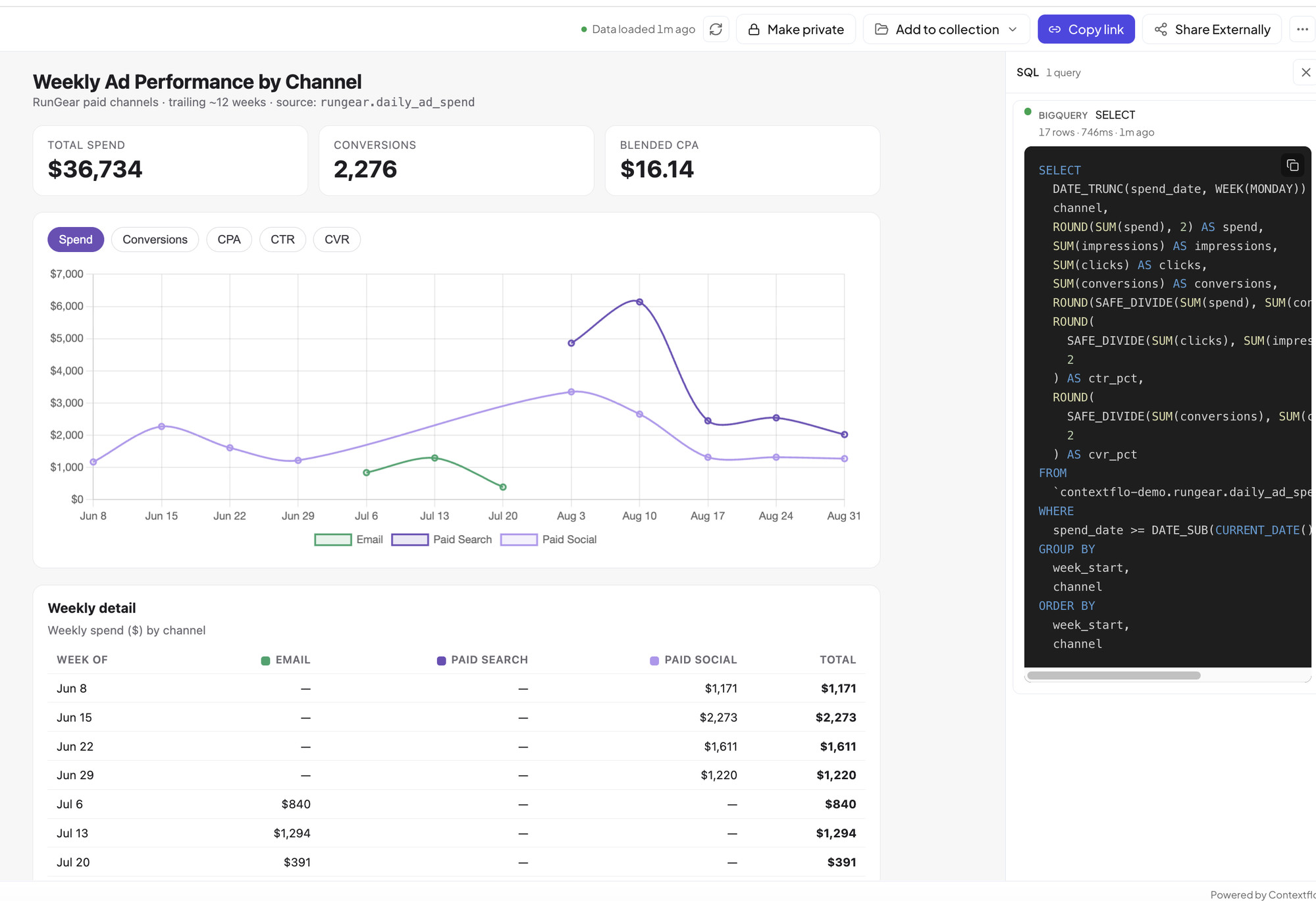
- It stays live. Queries re-run on every open, with data freshness shown on the page.
- The SQL is one click away, next to every chart.
- One link, forever. Push a new version and it updates in place.
How to host a Claude artifact in Contextflo
Before you start
- Connect Claude to Contextflo. If you haven't yet, create an account and add Contextflo as a connector in Claude.
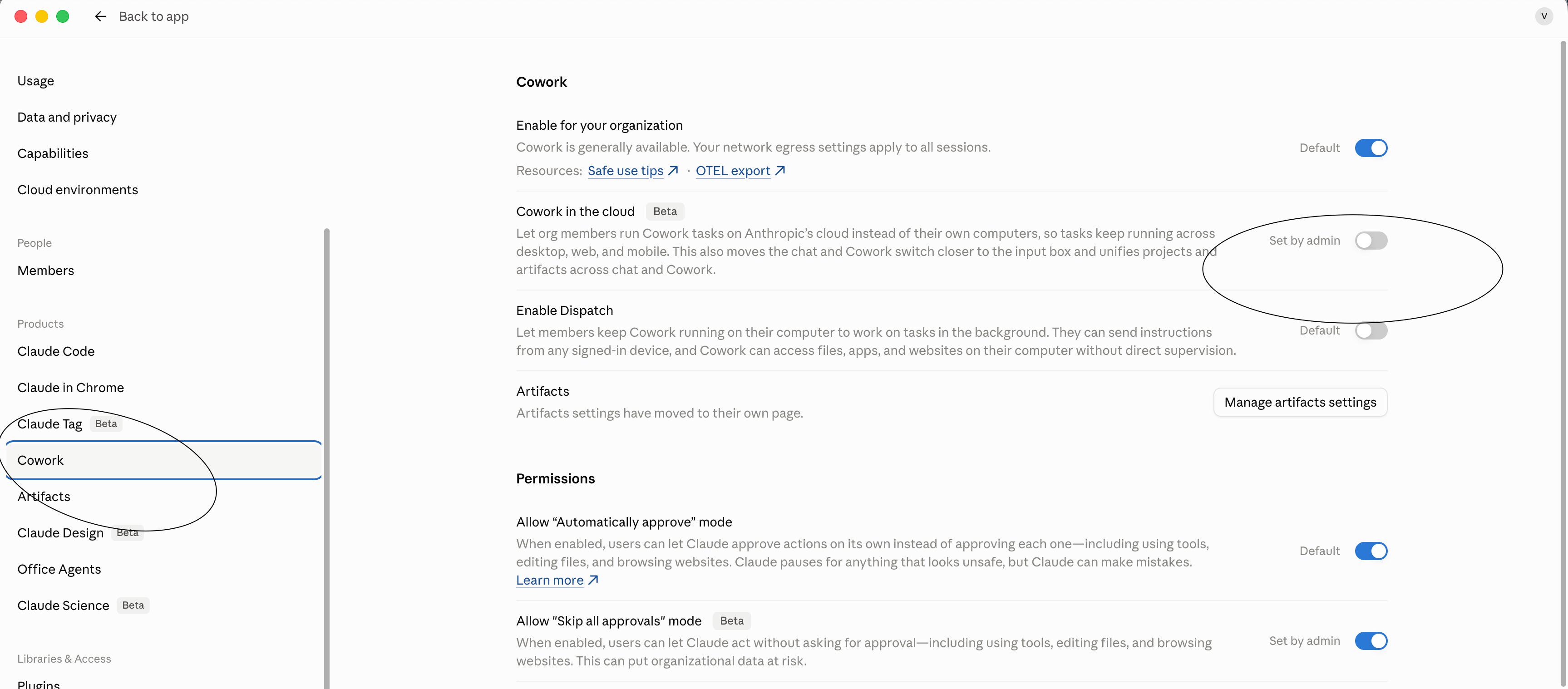
- Turn off Cowork in the cloud. In Claude's admin settings, go to Cowork and switch off Cowork in the cloud. Live artifacts that use your connectors have to be built in Cowork running on your computer.
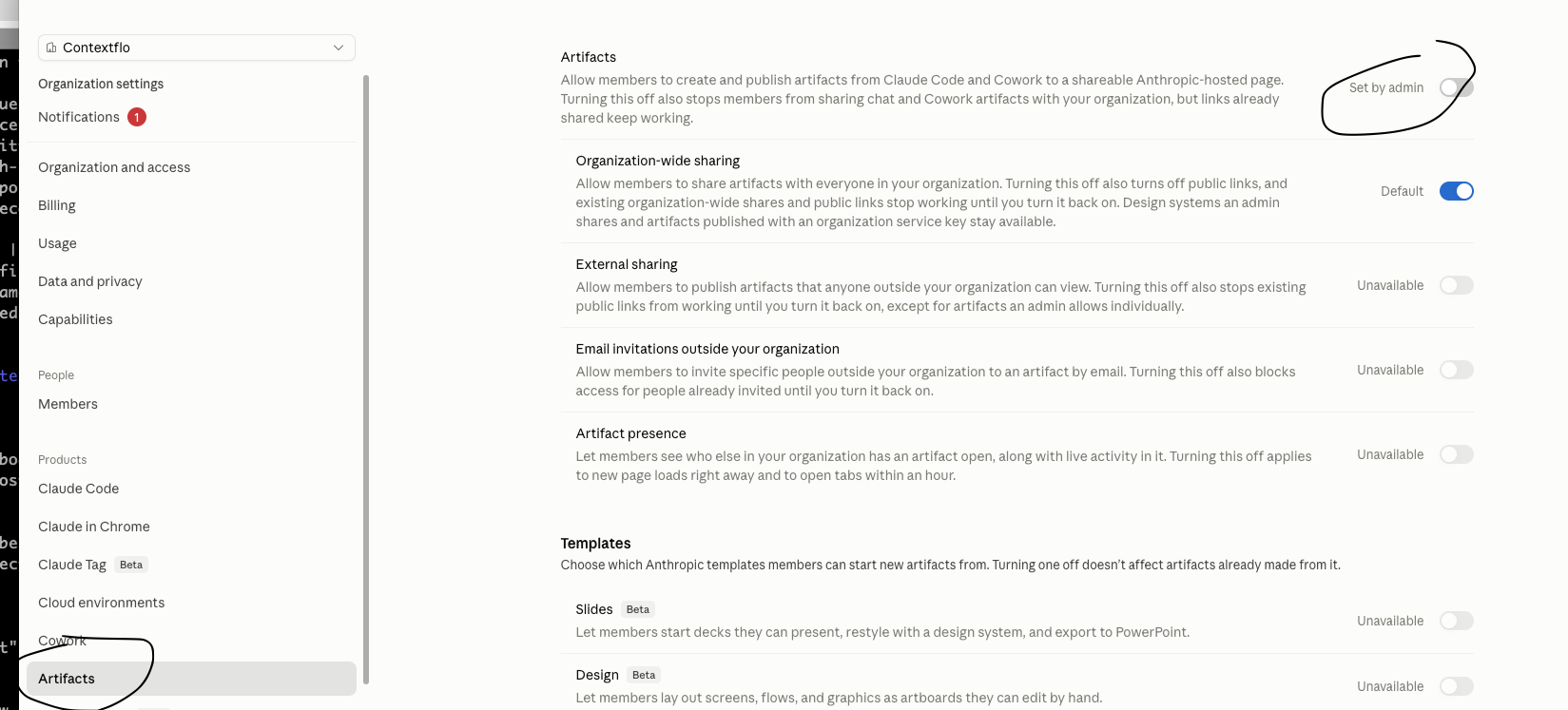
- Turn off Claude's own artifact publishing. In Claude's admin settings, go to Artifacts and switch off Artifacts. Otherwise Claude publishes to its own hosted page instead of pushing to Contextflo.
Step 1: ask Claude for the dashboard
Ask the way you'd ask a colleague:
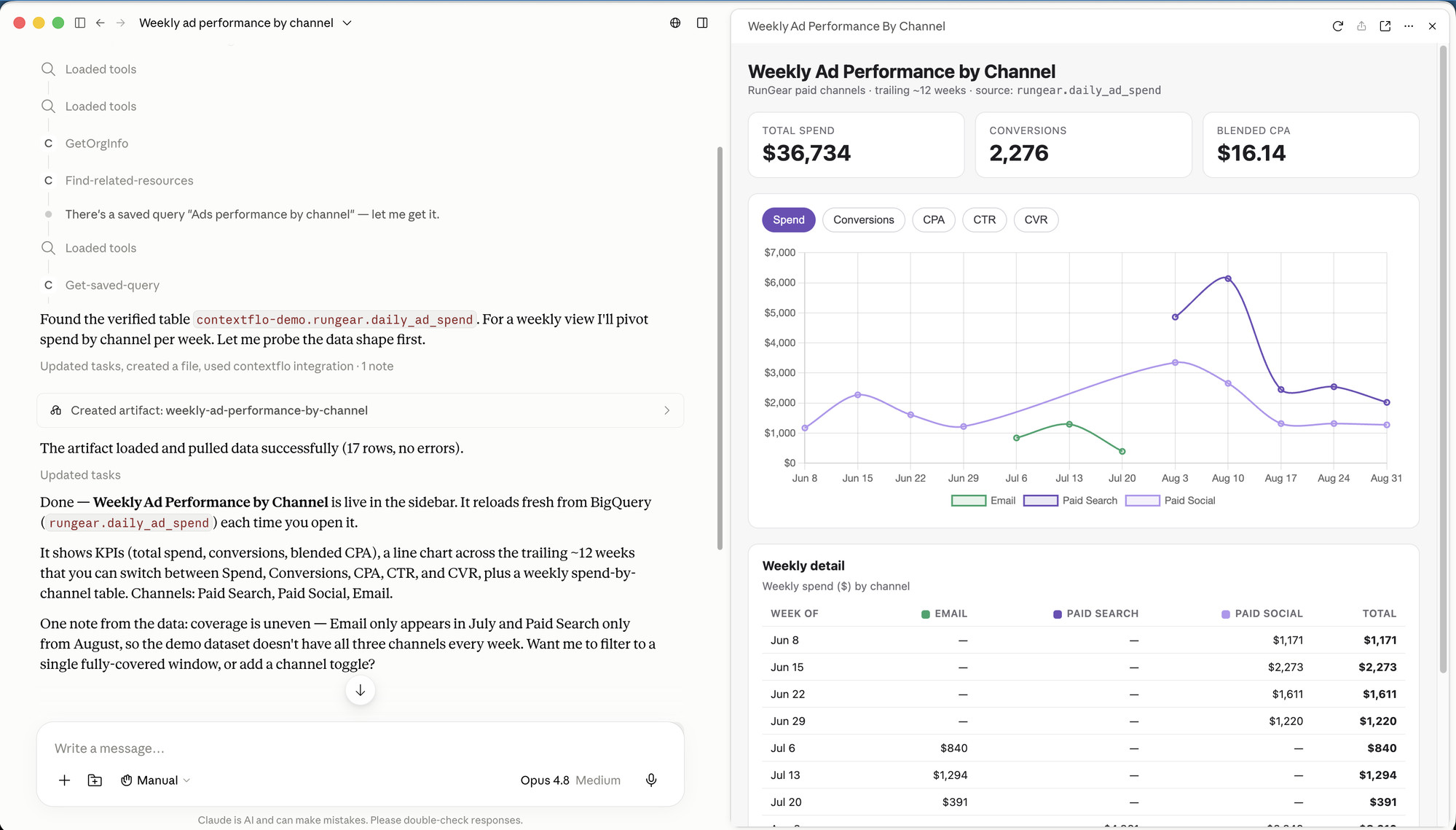
"Make a live artifact showing weekly revenue by channel for the last 12 weeks, with a toggle between revenue and orders."
Claude checks your team's definitions and saved queries in Contextflo first, then builds it.
Step 2: push it to Contextflo
Say:
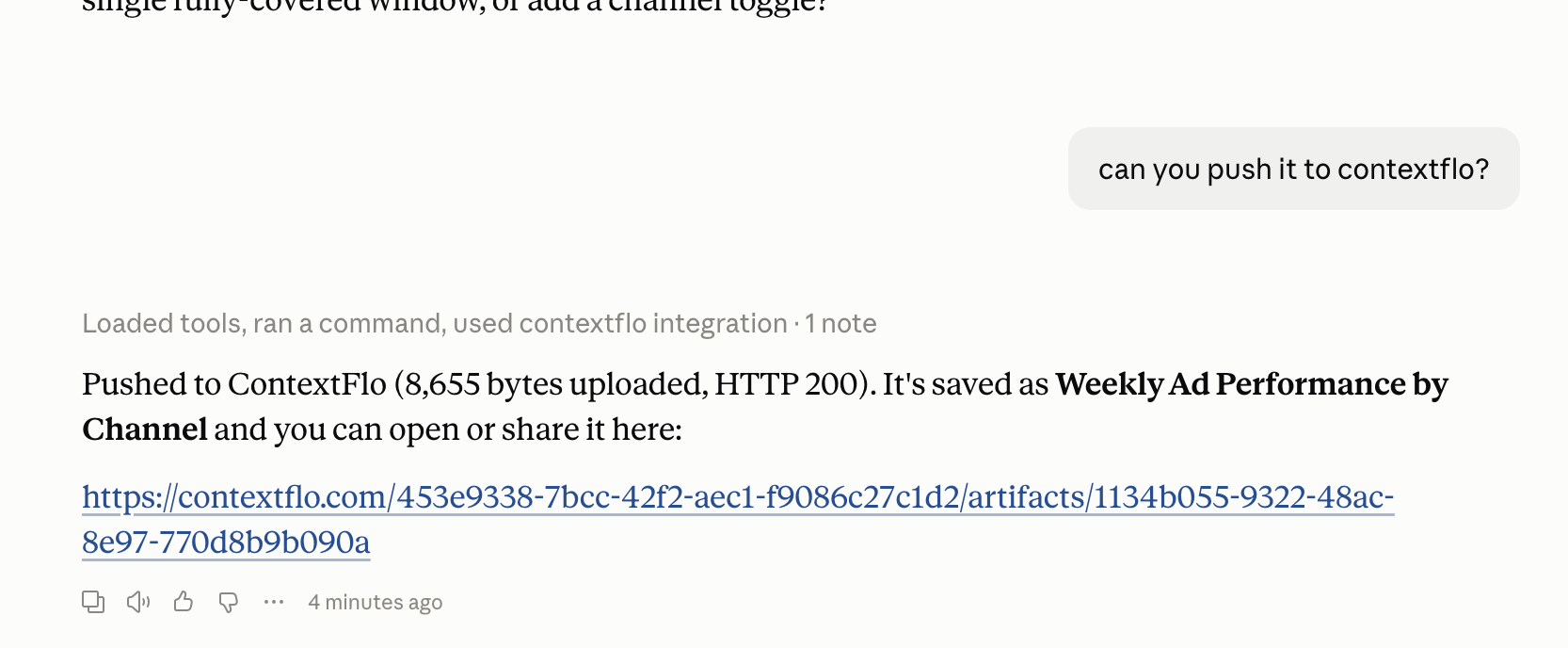
"Push it to Contextflo."
Claude uploads the artifact as is and replies with a link.
Step 3: open it and check the numbers
Open the link. The artifact re-runs its queries, shows how fresh the data is, and the SQL panel shows the exact query behind each chart.
Step 4: share it
New artifacts start Private, so you can check them first. Then:
- Your team: switch it to Org and copy the link. Anyone in your Contextflo workspace can open it.
- People outside your company: add it to a collection on the Dashboards page and invite them by email. They get a read-only view of that collection and nothing else, and you can revoke access any time.
Step 5: change it whenever you want
Ask Claude to change it ("add a filter by region", "make it a stacked bar") and push it again. It updates in place, so the link you already sent keeps working.
Where to go from here
Hosting is the last step. What makes the numbers right is the context underneath: your definitions for revenue, orders, and active customers, written down once so every artifact your team builds counts the same things. If you want to see why that matters, read how to build a Claude dashboard your team can trust.
FAQ
Can I share a Claude artifact with someone outside my Claude workspace? Not from Claude itself. Live artifact sharing stays inside your Claude organization. Push the artifact to Contextflo and you can share it by link with your team, or give an external viewer like a client or agency read-only access by email.
Does a hosted artifact still show live data? Yes. The artifact re-runs its queries through Contextflo every time someone opens it, so viewers always see current numbers, and the SQL behind each chart is one click away.
How do I update an artifact after I push it? Ask Claude to change it and push it again. It updates in place, so the link you already shared keeps working.
Find out if Contextflo is the right fit for you.
See how teams use Contextflo


Related posts


Keep reading

Conversational analytics: 5 ways to set it up, compared
7 min read

How to connect Claude to BigQuery? What works and what doesn't in 2026
8 min read

How to connect Claude to Postgres without giving it write access
7 min read

How to build a BI dashboard with Claude that your team can actually trust
8 min read

How to give Claude read-only access to your database (it isn't always the default)
7 min read

You connected your warehouse to Claude, now what?
5 min read

The official Postgres server for Claude is archived. Here's what to use instead.
7 min read

What should go in the board deck this month? How to pull metrics from HubSpot and Stripe with AI
7 min read

Which closed deals churned within a year? How to connect HubSpot and Stripe with AI
8 min read