Which deals will actually close this quarter? How to find out from HubSpot with AI
Hi, this is Vivek, building Contextflo. I share practical notes on getting answers from your data, a couple of times a month.
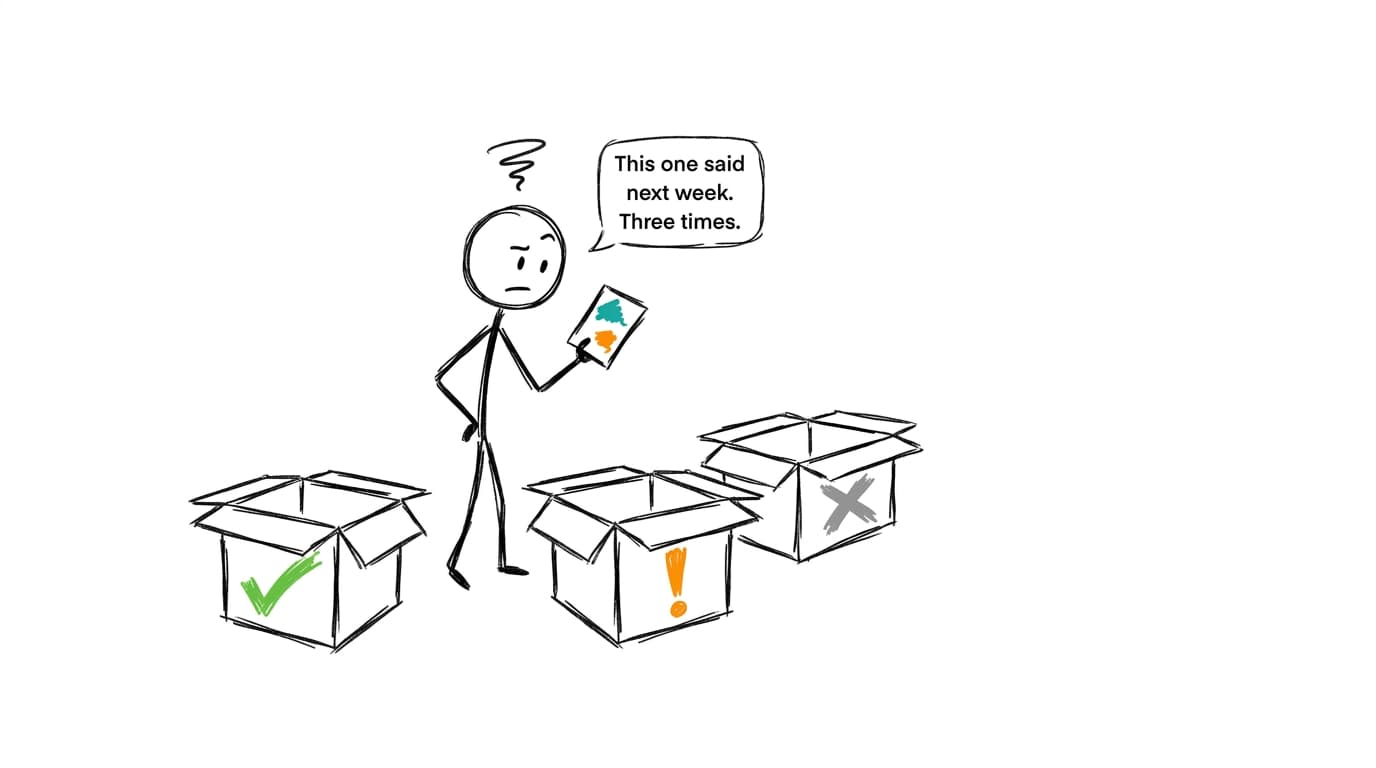
The deals that close this quarter are the ones that look like the deals you've already won. They move through stages at a normal pace, their close date hasn't been pushed, someone talked to the buyer recently, a next meeting is on the calendar, and more than one person on the buyer's side is involved. A deal missing two or three of those is at risk, whatever stage it's in. So check each open deal against those signals, sort the pipeline into likely, at risk and unlikely, and spend the week on the middle pile.
The signals that separate a closing deal from a slipping one
Stage and close date are what a rep entered. The signals below are what the deal actually did, and most of them are already sitting in HubSpot.
| Signal | What to check | What it usually means |
|---|---|---|
| Time in current stage | Days in this stage versus how long deals that won spent there | Far past normal means the deal stalled, even if nobody moved it |
| Close date pushed | How many times the close date moved later, and by how much | One push is common. Two or more, and the buyer's timeline isn't real |
| Recent activity | Days since the last logged call, email or meeting | Silence of a couple of weeks late in a cycle is rarely a good sign |
| Next meeting | Whether a meeting or task is scheduled on the deal | Deals that close have a next date. Deals that drift have "following up" |
| Next step | Whether the field is filled in and when it last changed | An empty or month-old next step means nobody owns the plan |
| Amount changes | Whether the amount was cut since the deal was created | A shrinking deal is often a buyer looking for a smaller yes, or a no |
| Buyer engagement | How many contacts on the deal have activity, and whether the champion is one of them | A single-threaded deal dies when that one person goes quiet |
| Stage skipped | Whether the deal jumped a stage your process relies on | Skipping evaluation or security review tends to come back later as a delay |
HubSpot tracks the raw material for most of these as default deal properties: the date a deal entered its current stage, time spent in each stage, last activity date, next activity date, next step, and the number of sales activities.[1] Close date and amount changes live in each property's history.[2]
One caution on "typical". A deal that has spent 40 days in evaluation is only stalled if your winning deals usually spend 15 there. Build the baseline from your own closed-won deals, split by segment or deal size if those behave differently, or every enterprise deal will look late.
Sort the pipeline into three lists
Scores with decimal points invite arguments about the decimals. Three buckets are easier to act on.
- Likely: pace is normal for the stage, no more than one close date push, activity in the last two weeks, a next meeting booked, and at least two engaged contacts.
- At risk: one or two signals are off. This is the list worth your time, because a call this week can still save it.
- Unlikely: several signals are off, or the deal has been pushed repeatedly and has gone quiet. Move its close date or close it out, so the pipeline stops counting it.
Treat those thresholds as a first draft. Run the same sort on the deals that were open at the start of last quarter and see where the eventual wins and losses landed. If half of last quarter's wins would have been marked unlikely, the rules are too strict. Adjust until the three lists actually separate.
This is deal by deal. If you need the quarter's number for leadership, roll the lists up with the method in forecasting revenue from your pipeline.
Get HubSpot in front of Claude
HubSpot's own connector
HubSpot makes a connector for Claude, listed as Anthropic verified in Claude's connector directory. It can search and update contacts, companies, deals, tickets and campaigns, and HubSpot pitches it for pipeline reviews and pre-call prep.[3] Underneath is HubSpot's MCP server, which gives read and write access to CRM objects and to engagements: calls, emails, meetings, notes and tasks.[4] HubSpot describes it as permission-aware, with access scoped per user.
For this question that's a strong start. It reads live data, it can see the activity on each deal, and when Claude spots a deal nobody has touched, you can ask it to create the follow-up task in the same chat.

A deals export
If you'd rather work from a file, export open and closed deals with amount, create date, close date, stage, owner, last activity date, next activity date and next step, plus the stage calculated properties ("Date entered" and "Cumulative time in" each stage). Those stage properties need a certain HubSpot plan and are turned off for new pipelines and stages by default, so check they're on. They fill in retroactively once you turn them on.[5] For close date pushes, export the close date property's history from the property settings. HubSpot keeps a limited number of past revisions per property, so check its current limits.[2] Upload the files to a Claude chat, and check Anthropic's current upload limits if the export is large.[6]
With Contextflo
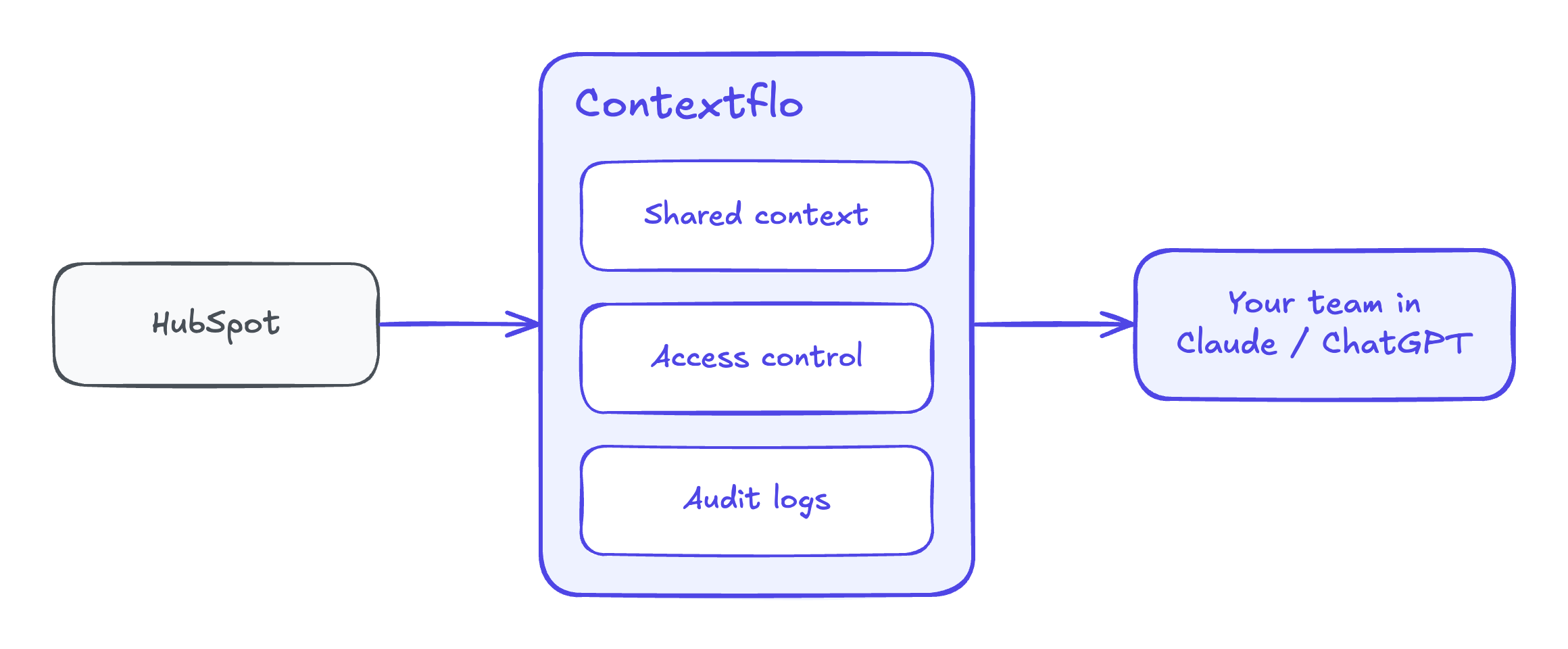
Connect HubSpot to Contextflo and your whole team can ask about deals in Claude, with the same definitions behind every answer. What counts as "no recent activity", how many days in evaluation is late for a mid-market deal, whether a one-week push counts as a push: you decide those once, and the sales lead, the founder and RevOps all get the same at-risk list. HubSpot sits next to the rest of your data, so an expansion deal can be checked against that account's product usage or billing in the same question.
Get in touch and we'll set up the HubSpot connection with you. Book 20 minutes.
What to ask Claude
Start with the current state of every open deal:
List every open deal with a close date this quarter. For each, show
stage, amount, owner, days since last activity, whether a next activity
is scheduled, and the next step. Flag deals with no activity in 14 days
and no next activity booked.
Then compare each deal to your past wins. This one needs stage history:
Using deals closed won in the last four quarters, find the median days
spent in each stage. For each open deal, compare days in its current
stage to that median, and list the deals at more than twice the median.
From the close date history, which open deals have had their close date
pushed, how many times, and by how many days in total? Which ones also
had their amount reduced?
Check who's actually engaged:
For each open deal over $20,000, how many associated contacts have a
logged call, email or meeting in the last 30 days? Name the deals where
only one contact is active, and say whether that contact is the champion.
For expansion deals, bring in data from another tool:
For each open expansion deal, show the account's weekly active users
and seats in use over the last 8 weeks from our product data. Flag
expansion deals where usage is flat or falling.
And finish with the list itself:
Sort every open deal closing this quarter into likely, at risk and
unlikely using the rules we agreed. For every at-risk deal, name the
signals that put it there and suggest one action for this week.
Explain each call so I can check it.
I'd ask for the reasoning every time. A sales lead who knows the champion just got promoted will overrule a score, and that's the point of seeing it.
Worked example: nine deals on a Monday
The deals and numbers below are illustrative. A small B2B software team has nine open deals with close dates this quarter, worth $412,000 in total. Their closed-won deals from the last four quarters spent a median of 14 days in evaluation and 10 days in proposal.
| Deal | Stage | Amount | Days in stage | Close date pushes | Last activity | Next meeting | Engaged contacts | List |
|---|---|---|---|---|---|---|---|---|
| Northwind | Negotiation | $68,000 | 6 | 0 | 2 days | Booked | 4 | Likely |
| Halcyon | Proposal | $42,000 | 9 | 0 | 1 day | Booked | 3 | Likely |
| Brightpath | Proposal | $25,000 | 12 | 1 | 5 days | Booked | 2 | Likely |
| Kestrel | Evaluation | $55,000 | 31 | 1 | 9 days | None | 2 | At risk |
| Ardent | Proposal | $38,000 | 8 | 0 | 18 days | None | 1 | At risk |
| Pinecrest (expansion) | Proposal | $30,000 | 7 | 0 | 3 days | Booked | 2 | At risk |
| Tallis | Negotiation | $72,000 | 26 | 2 | 12 days | None | 2 | At risk |
| Morrow | Evaluation | $48,000 | 44 | 3 | 27 days | None | 1 | Unlikely |
| Quillon | Proposal | $34,000 | 35 | 2 | 22 days | None | 1 | Unlikely |
A few of these are worth a closer look.
Tallis is the one that matters most. It's the biggest deal on the board and sits in negotiation, so the CRM gives it the highest probability. But it has been there almost four weeks, the close date moved twice, and nothing is booked. That's usually procurement or legal stuck on something nobody has named. The action is a call to the champion asking what's holding it, not another follow-up email.
Ardent looks healthy on pace but has gone quiet with only one contact engaged. If that person is on holiday, fine. If they left, the deal is gone. One question to the rep settles it.
Pinecrest passes every HubSpot signal and still lands in at risk, because the account's weekly active users fell by a third over the last two months. An expansion pitched to a team that's using the product less tends to shrink or stall. That flag came from putting product usage next to the deal.
Morrow and Quillon go on the unlikely list. The honest move is to push their close dates to next quarter or close them lost, which takes $82,000 of hope out of this quarter's pipeline.
So the Monday list reads: three likely deals worth $135,000, four at risk worth $195,000 with one named action each, and two to clean up. That's a shorter meeting than going through nine deals by stage, and it points the week at the four deals where a phone call can still change the outcome.
FAQ
How do I know which deals will close this quarter? Look at what each open deal is doing, not the stage or close date a rep typed in. Compare how long it has sat in its current stage to how long deals that won usually spend there, check whether its close date has been pushed, when anyone last logged an activity, whether a next meeting is booked, and whether more than one person on the buyer's side is engaged. Deals that look like your past wins go on the likely list, the rest are at risk or unlikely.
What are the signs a deal is at risk of slipping? The common ones are a deal sitting in its stage well past what winning deals take, a close date that has been pushed once or more, no logged activity for a couple of weeks, no next meeting on the calendar, an empty or stale next step, the amount being cut, and only one contact engaged. One signal alone is often noise. Two or three together on the same deal usually mean it won't close when the CRM says it will.
Can Claude tell me which HubSpot deals will close? Yes, if it can see the deals. HubSpot has its own connector for Claude, and you can also export deals with their stage dates and close date history and upload the files. Ask Claude to score each open deal against the signals your past wins showed, and to explain every call so a sales lead can check it against what they know about the deal.
How do I find stalled deals in HubSpot? HubSpot's default deal properties include the date a deal entered its current stage, time spent in each stage, last activity date and next activity date. Filter open deals where time in the current stage is well past your typical winning deal, or where the last activity is old and no next activity is scheduled. Stage timing properties have to be turned on for each pipeline, so check that first.
Find out if Contextflo is the right fit for you.
See how teams use Contextflo


Related posts


Keep reading

Conversational analytics: 5 ways to set it up, compared
7 min read

How to connect Claude to BigQuery (and fix the errors you'll hit)
8 min read

How to connect Claude to Postgres (and keep it read-only)
7 min read

How to build a BI dashboard with Claude that your team can actually trust
8 min read

How to give Claude read-only access to your database (it isn't always the default)
7 min read

You connected your warehouse to Claude, now what?
5 min read

Why we built our own Postgres MCP server
7 min read

What should go in the board deck this month? How to pull metrics from HubSpot and Stripe with AI
7 min read

Which closed deals churned within a year? How to connect HubSpot and Stripe with AI
8 min read