Which leads actually become customers? How to trace them in HubSpot with AI
Hi, this is Vivek, building Contextflo. I share practical notes on getting answers from your data, a couple of times a month.
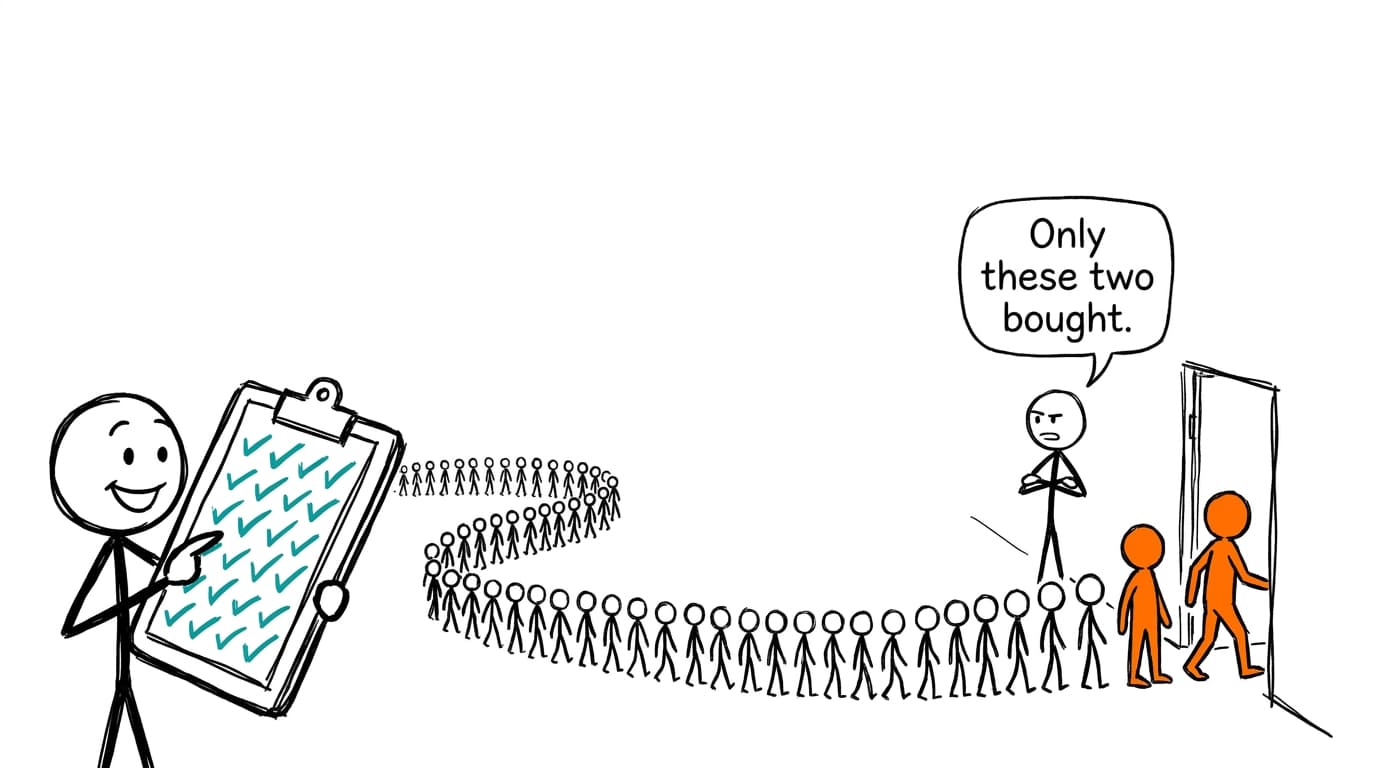
The leads that become customers usually share a handful of things you knew the day they arrived: how they found you, the first thing they asked for, the size of their company and the job of the person filling in the form. To see which ones matter for you, take the contacts created two or three quarters ago, mark who reached a closed-won deal, and compare the lead-to-customer rate for each of those attributes. In most B2B funnels the answer is narrower than the MQL dashboard suggests, and it's often a different set of leads than the one your lead score favors.
Counting MQLs tells you about engagement
Most teams report leads and MQLs every week, because those numbers arrive fast. Customers arrive months later, so the weekly report ends up measuring the part of the funnel that's easiest to inflate.
An MQL is a threshold someone set, typically a mix of fit (title, company size) and activity (pages viewed, emails opened, content downloaded). Activity is cheap to generate. Run two webinars in a month and the MQL count jumps, whether or not a single attendee has a budget. Meanwhile the person who landed on the pricing page and asked for a demo counts as one MQL, same as a student who downloaded three ebooks.
None of that makes MQLs useless. It means the question "are we getting more MQLs?" and the question "are we getting more of the leads that buy?" can have opposite answers in the same quarter. The fix is to judge every lead source by what came out the far end.
What to compare, and where it lives in HubSpot
Everything below is a default contact property, so most portals already have it.[1]
| Attribute | HubSpot property | Why it tends to matter |
|---|---|---|
| How they found you | Original Traffic Source, plus its two drill-downs | Separates paid, organic, referral and direct, and names the campaign or site |
| What they asked for first | First conversion, First conversion date | A demo request and a guide download are different intents |
| Company size | Number of employees | Often the strongest fit signal, and easy to check |
| Industry | Industry | Shows where the product lands without a long explanation |
| Role | Job title | A VP asking for a demo and an intern reading a guide rarely convert alike |
| Path through the funnel | Date entered [lifecycle stage], for each stage | Shows which stages a lead passed through and how long each took |
| Outcome | Lifecycle stage, Number of associated deals, and the deals themselves | Tells you who actually bought |
The default lifecycle stages run subscriber, lead, marketing qualified lead, sales qualified lead, opportunity, customer, evangelist.[2] The "Date entered" property for each stage is what lets you measure time from lead to customer, and see whether a contact went through MQL at all or skipped straight to opportunity. HubSpot also calculates how long a contact spent in each stage, but those time properties need a higher plan, so check what yours includes.[2]
One detail worth knowing before you trust the path. HubSpot's automatic updates only move lifecycle stage forward.[2] A lead who went cold and came back six months later still looks like one continuous journey, so check the gap between first conversion and the deal before crediting that first form.
For the outcome, prefer an associated closed-won deal over the lifecycle stage alone. Some teams set customer by hand, some by workflow, and a few never set it. The deal is harder to fake.
Lead scores that nobody checks
Most HubSpot portals have a score on every contact, and the score decides who sales calls first. It's also the part of the funnel least often compared against revenue. The rules were written at setup, someone added points for webinar attendance two years ago, and nobody has looked since.
The check is simple. Group contacts by the score they had when they became an MQL, then compare how many in each band became customers. A score that works shows a clear staircase: top band converts best, bottom band worst. A score that doesn't will show a flat line, or worse, a top band full of enthusiastic content readers who never buy. When that happens, look at what the high-scoring non-buyers have in common. Often one or two rules are doing all the damage.
Which marketing channel earns its budget is a separate question. If that's what you're after, tracing ad spend to closed-won revenue covers attribution models and holdout tests. This post stays on the lead itself: who it was, what it did, and whether it bought.
Hand Claude your HubSpot data
HubSpot makes a connector for Claude, listed as Anthropic verified in Claude's connector directory, that can search and update contacts, companies, deals, tickets and campaigns.[3] It runs on HubSpot's MCP server, which reads CRM objects and engagements, with access scoped to each user's permissions.[4] For quick questions about recent leads it's the fastest route, and it's live, so there's no file to refresh.

If you'd rather work from files, export contacts with the properties in the table above and choose to include associations, which adds a column for associated deals.[5] Then export deals with stage, amount and close date, so Claude can tell closed-won from everything else. Upload both to a Claude chat, and check Anthropic's current upload limits if the files are large.[6]
With Contextflo
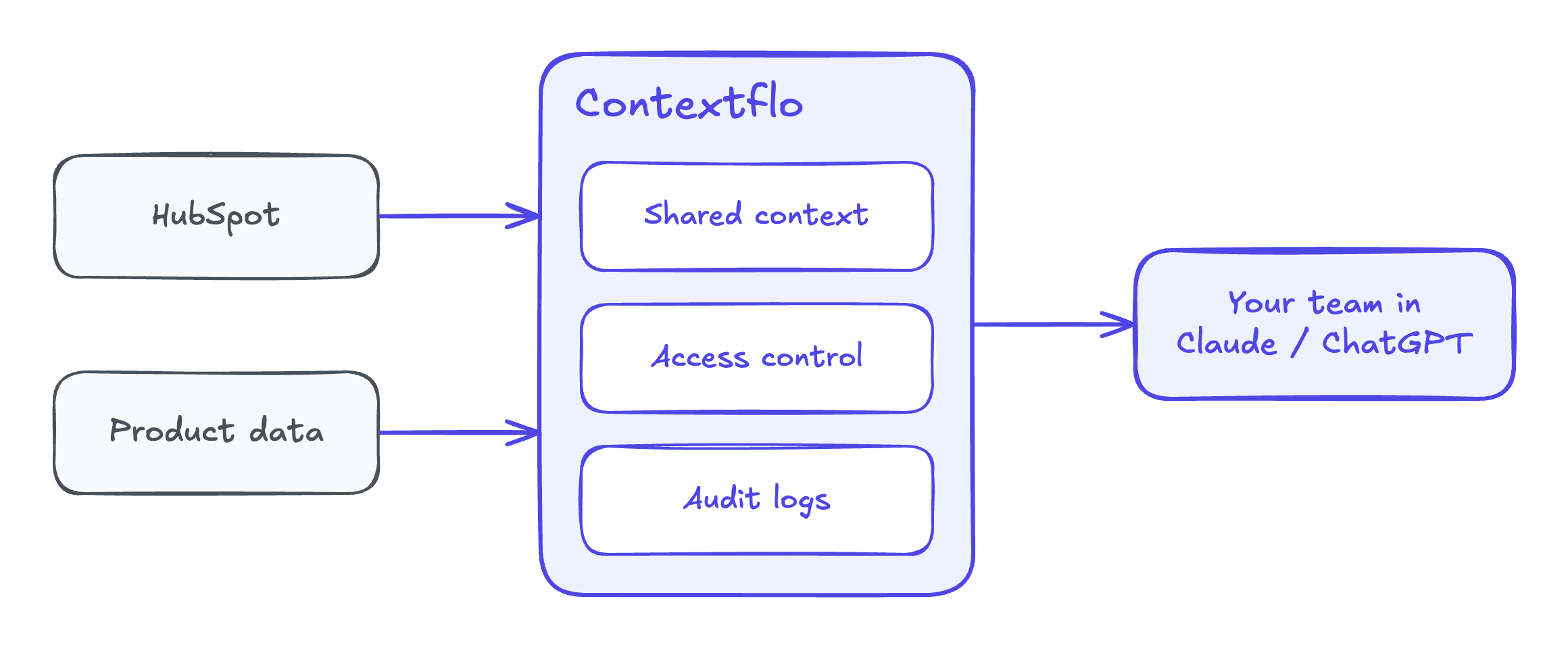
Connect HubSpot to Contextflo and the whole team can ask about leads in Claude, with the same definitions behind every answer. What counts as a qualified lead, whether "customer" means the lifecycle stage or a closed-won deal, how long a cohort needs before you judge it: decide those once, and marketing and sales stop arguing about whose conversion rate is right. HubSpot sits next to your product data too, so a trial sign-up can be judged by what that person did in the product, not just by the form they filled in.
Get in touch and we'll set up the HubSpot connection with you. Book 20 minutes.
Questions to ask, with prompts
Which first actions lead to a deal?
For contacts created between January 1 and June 30, group them by
first conversion. For each group show the number of contacts, how
many became MQLs, how many have an associated closed-won deal, and
the lead-to-customer rate. Show the count next to every rate.
Does the answer change by who they are?
Repeat the lead-to-customer rate split by number of employees
(under 50, 50-500, over 500) and by job title grouped into
executive, manager and individual contributor. Mark any group with
fewer than 30 contacts.
How long does it take, and which path gets there?
These need the lifecycle date properties.
For contacts who reached customer, calculate days from entering lead
to entering customer. Show the median by first conversion and by
original traffic source. Then list the most common sequence of
lifecycle stages they passed through, and how many skipped MQL.
Is the lead score pointing the right way?
Group contacts who became MQLs in the first half of the year by
HubSpot score band (0-49, 50-79, 80+). For each band show MQLs,
customers, and the conversion rate. For high-scoring contacts who
didn't buy, which first conversions and sources are most common?
What did buyers do in the product?
This one brings in a second source.
Match free trial sign-ups in HubSpot to our product data by email.
Compare trial users who became customers with those who didn't: did
they invite a teammate, connect an integration, or come back after
day 3? Which first-week action separates them most?
I'd always leave recent leads out of the window. A contact created last month hasn't had time to buy, and including them makes every new channel look broken.
Worked example: 1,200 leads, 54 customers
The numbers here are illustrative. A B2B software team looks at the 1,200 contacts created in the first half of the year, now that most of their deals have had time to close.
| First conversion | Leads | MQLs | Customers | Lead-to-customer | Median days to customer |
|---|---|---|---|---|---|
| Demo request | 140 | 140 | 21 | 15.0% | 38 |
| Contact sales form | 70 | 70 | 6 | 8.6% | 45 |
| Free trial sign-up | 260 | 110 | 18 | 6.9% | 52 |
| Webinar signup | 320 | 190 | 5 | 1.6% | 94 |
| Ebook download | 410 | 230 | 4 | 1.0% | 120 |
| Total | 1,200 | 740 | 54 | 4.5% |
Webinars and ebooks produced 420 of the 740 MQLs, 57% of the number marketing reported every week. They produced 9 of the 54 customers. Demo requests were just under an eighth of the leads and close to 40% of the customers.
The lead score told the same story from the other side. Contacts who hit 80 or more at MQL converted at 5.2% (11 of 210). The 50-79 band converted at 8.1% (43 of 530). The top band was full of people who'd attended two webinars and opened every nurture email, and the score was paying them for it.
Then the team put product data next to the trial sign-ups. Of the 260 trials, the 80 who invited a teammate in their first week converted at 17.5% (14 customers). The other 180 converted at 2.2% (4 customers). A trial with a teammate invite was a better lead than a demo request.
Three changes came out of it:
- Trial sign-ups who invite a teammate go straight to a sales rep the same day, instead of waiting to earn MQL points.
- Webinar and ebook points in the score drop sharply, and company size of 50-500 employees gets more weight, since it converted at roughly three times the rate of smaller companies.
- The weekly report adds customers by first conversion, measured on the cohort from two quarters back, next to the MQL count.
None of this needed a new tool in the funnel. It needed the question asked from the deal backward instead of from the form forward. Once those leads turn into pipeline, sorting open deals by how likely they are to close is the next place the same habit pays off.
FAQ
How do I find out which leads become customers in HubSpot? Take every contact created in a past window long enough for deals to close, say two quarters that ended a few months ago. For each one, note what you knew when they arrived (original traffic source, first conversion, industry, company size, job title) and whether they reached the customer lifecycle stage or have an associated closed-won deal. Then compare the lead-to-customer rate for each attribute. The attributes where that rate is far above average are the ones that predict a deal.
Why do MQL numbers look good when revenue doesn't grow? Because an MQL is a threshold your team set, usually on engagement, and engagement is easy to produce. Ebook downloads and webinar signups pile up points and cross the line in bulk, while the smaller group of leads who ask for a demo or start a trial do most of the buying. Count customers per lead source, not MQLs, and the gap usually shows.
How do I check if my HubSpot lead score works? Group contacts by the score they had when they became an MQL, then compare how many in each band later became customers. If the top band doesn't convert clearly better than the middle, the score is ranking activity, not buying intent. Look at which scoring rules the high-scoring non-buyers share, and cut their weight.
How long does it take a lead to become a customer? Measure it from your own data. HubSpot records the date a contact entered each lifecycle stage, so the gap between entering lead and entering customer gives time to close for every converted contact. Use the median rather than the average, and split it by first conversion, because a demo request and an ebook download usually run on very different clocks.
Can Claude analyze HubSpot leads and deals together? Yes. HubSpot has its own connector for Claude that can search contacts, companies and deals, and you can also export contacts with their lifecycle date properties and associated deals, then upload the files. Ask for lead-to-customer rates by source and first conversion, with the count of leads next to every rate.
Find out if Contextflo is the right fit for you.
See how teams use Contextflo


Related posts


Keep reading

Conversational analytics: 5 ways to set it up, compared
7 min read

How to connect Claude to BigQuery (and fix the errors you'll hit)
8 min read

How to connect Claude to Postgres (and keep it read-only)
7 min read

How to build a BI dashboard with Claude that your team can actually trust
8 min read

How to give Claude read-only access to your database (it isn't always the default)
7 min read

You connected your warehouse to Claude, now what?
5 min read

Why we built our own Postgres MCP server
7 min read

What should go in the board deck this month? How to pull metrics from HubSpot and Stripe with AI
7 min read

Which closed deals churned within a year? How to connect HubSpot and Stripe with AI
8 min read