Is your Google Ads spend working? How to check it against your CRM with AI
Hi, this is Vivek, building Contextflo. I share practical notes on getting answers from your data, a couple of times a month.
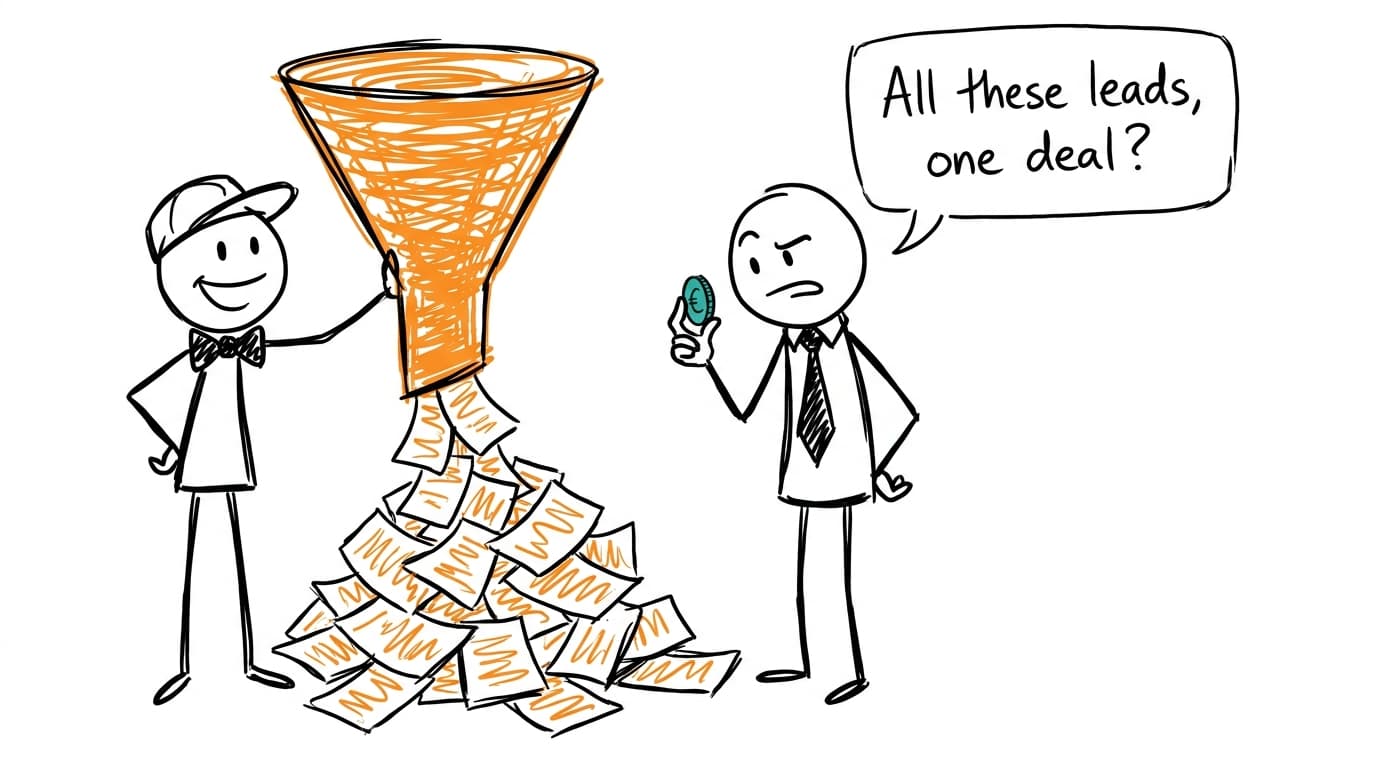
To check whether Google Ads spend is working, stop judging it by the conversions Google Ads reports and follow each click into your CRM instead. Capture the gclid and UTM parameters on your forms, carry them from contact to opportunity to closed-won, and divide campaign and keyword cost by what came out the far end. Cost per opportunity and cost per closed-won by campaign usually tell a different story than cost per lead. Split brand from non-brand before you read any of it, because branded search tends to collect credit for demand you created somewhere else.
Your conversions are form fills
For most B2B accounts, a Google Ads conversion is a form submission: a demo request, a trial sign-up, a gated guide. Google Ads counts each one the same. The VP who wants a demo next Tuesday and the student grabbing a free template are both one conversion at the same value.
That matters more than it looks, because smart bidding learns from those conversions. Tell it every form fill is equally good, and it will find you the cheapest form fills available. Cost per lead drops, the dashboard looks healthy, and sales starts saying the leads are bad. Both sides are reading their own numbers correctly.
The answer lives in the CRM. HubSpot or Salesforce knows which of those leads became an opportunity and which one signed. Google Ads knows what each campaign, keyword and search term cost. Neither can check the spend alone.
If you're comparing Google against LinkedIn, Meta and everything else, tracing ad spend to closed-won revenue by channel covers attribution models and holdout tests. This post stays inside Google Ads, down to the campaign and the keyword.
Following a click into the CRM
The link between a click and a deal is a handful of URL parameters. Getting them into the CRM is plumbing, and it's worth an afternoon:
- Turn on auto-tagging in Google Ads. It adds a gclid, the Google Click Identifier, to the URL of every ad click, and Google Ads needs it for website conversion tracking anyway.[1]
- Keep UTMs on your ads as well, with the campaign name matching the Google Ads campaign exactly. Many teams also pass the keyword through a tracking template, so the lead record shows which keyword brought it in.
- Add hidden fields to every form that read the gclid and UTMs from the URL, or from a cookie set on landing, and write them onto the contact.
- Make sure those fields carry from the contact to the deal or opportunity, or at least that every deal has an associated contact who has them.
- Check the fill rate. Pull last month's paid-search leads and count how many actually have a gclid. A form that drops it on one landing page will quietly hide a whole campaign.
Closing the loop back into Google Ads
Once the gclid sits on the opportunity, you can send the outcome back. Google Ads supports offline conversion imports, where you upload conversions that happened outside your site, keyed by the gclid, and it now recommends enhanced conversions for leads, which uses first-party data like the lead's email alongside it.[2]
The practical version: import "qualified opportunity" and "closed-won" as conversions. Bidding can then learn from the leads sales accepted instead of every form, and your Google Ads reports start showing pipeline next to clicks. Of everything here, it does the most about junk leads over time, and the analysis below shows which campaigns need it first.
The numbers to put next to spend
| Metric | How to get it | What it tells you |
|---|---|---|
| Cost per lead | Cost divided by CRM leads with that campaign | What Google Ads already optimizes for |
| Lead to opportunity rate | Opportunities divided by leads, per campaign | Whether sales accepts what the campaign brings |
| Cost per opportunity | Cost divided by opportunities | The first number that reflects lead quality |
| Cost per closed-won | Cost divided by closed-won deals | What a customer from this campaign actually costs |
| Pipeline per dollar | Opportunity amount divided by cost | Which campaigns earn the next dollar of budget |
Opportunities show up weeks or months after the click, so measure a window that has had time to mature. A campaign launched last month will look like it produces no pipeline, and that says nothing yet.
Brand search is taking credit
Brand campaigns bid on your own company name. They almost always post the best numbers in the account, with cheap clicks and a conversion rate nothing else comes close to. The trouble is where those searchers came from. Someone who types your name into Google already heard about you, from a colleague, a podcast, a LinkedIn post, a conference talk or last month's visit to the pricing page. The brand ad was the last door they walked through, and it gets the credit for the whole trip.
That doesn't make brand campaigns wasteful. Competitors bid on your name, and showing up for it can be cheap insurance. But it means brand numbers can't justify non-brand budget, and blending them together hides a non-brand program that may not work at all.
Two checks help. First, report brand and non-brand as separate lines, which is much easier when campaign names follow a convention like a "Brand" prefix. Second, for brand-search opportunities, look at when the contact was first created in the CRM. If most of them existed before their first brand click, the campaign was capturing demand, and the real question is what created it.
Search terms that fill the CRM with noise
Keywords are what you bid on. Search terms are what people actually typed, and broad or phrase match can put your ad in front of searches you'd never have chosen. The search terms report shows them with their cost and clicks, though Google leaves out some low-volume terms for privacy, so it won't cover everything.[3]
The useful move is joining those terms to CRM outcomes. Look for terms with lots of leads and no opportunities: "free", "template", "salary", "jobs", "course", a competitor's login page, a phrase that only students search. Each one is a negative keyword candidate. The keyword or term you captured on the form makes this possible. Without it you're guessing from the search terms report alone, which shows the form fills and nothing after.
Connect Google Ads and your CRM to Claude
Google publishes an official, open-source MCP server for Google Ads. It's strictly read-only, lists the accounts you can access, and runs Google Ads Query Language searches for campaign, keyword and search-term metrics.[4] It needs a Google Cloud project with Google Ads API access and OAuth credentials, so plan on some setup.[4] For the CRM side, HubSpot makes an Anthropic-verified connector that searches contacts, companies and deals,[5] and Salesforce offers its own connector for Claude, currently in beta.[6]
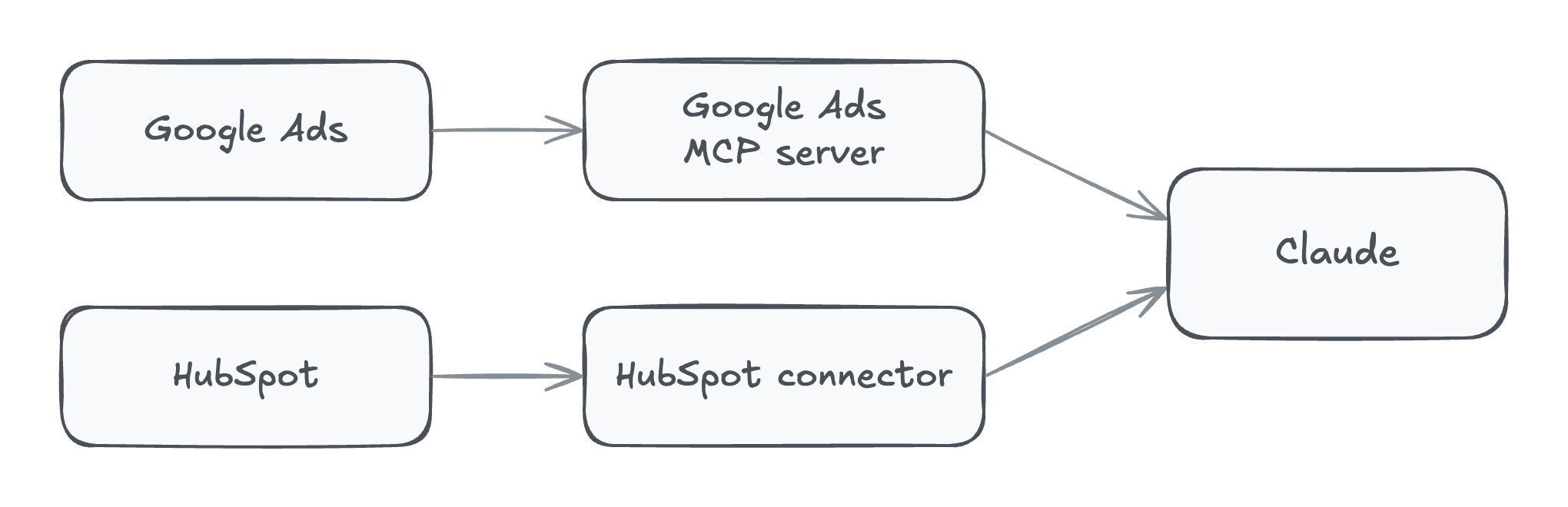
For a one-off check, exports do the job. From Google Ads, download campaign, keyword and search terms reports with cost, clicks and conversions for the same date range. From the CRM, export contacts and deals or opportunities with the gclid, UTM and keyword fields, stage, amount, created date and close date. Upload them to a Claude chat, and check Anthropic's current upload limits if the files are large.[7]
With Contextflo
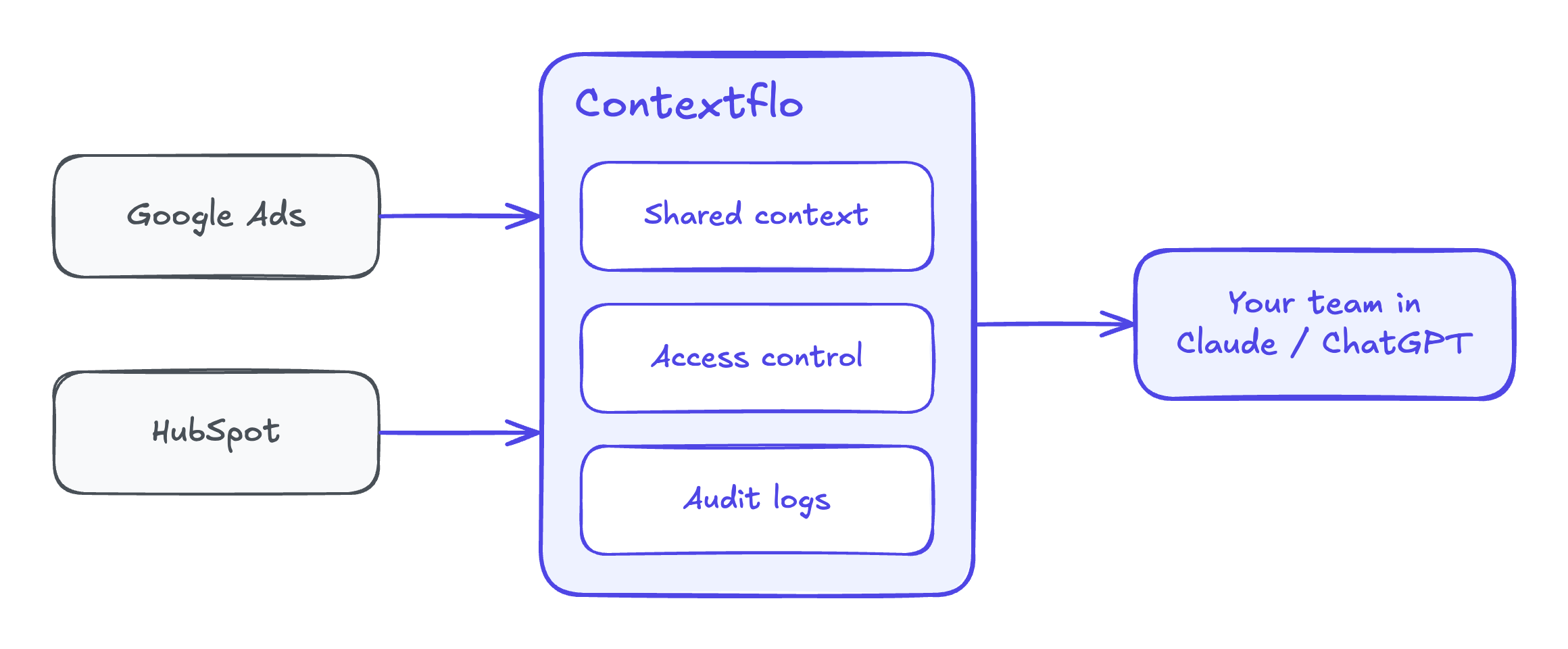
Connect Google Ads and your CRM to Contextflo, and the whole team can ask across both from Claude, with every answer using the same rules. Save what counts as a qualified opportunity and how campaign names mark brand versus non-brand, and marketing and sales stop arguing over whose cost per opportunity is right. Next month's review picks up from those definitions instead of a fresh spreadsheet.
Get in touch and we'll set up both connections with you. Book 20 minutes.
Four prompts to run
Cost per opportunity by campaign
Join Google Ads cost by campaign for January through June to CRM
contacts created in that window, matched on utm_campaign (and gclid
where present). For each campaign show cost, leads, opportunities,
closed-won deals, cost per lead, cost per opportunity, cost per
closed-won and pipeline per dollar. Show how many leads had no
campaign value at all.
Brand versus non-brand, honestly
Treat any campaign whose name starts with "Brand" as brand search.
Compare brand and non-brand on the same metrics. Then, for brand
opportunities, show how many contacts existed in the CRM before
their first brand-search click, and their original source.
Search terms that produce junk
Using the search terms report and the keyword captured on each lead,
list terms or keywords with at least 10 leads and zero opportunities,
sorted by cost. Suggest negative keywords, and flag any that also
produced an opportunity, so I don't block a good one.
Which keywords actually close
For deals closed-won in the last 12 months, trace each one back to
the keyword on its first paid-search lead. Rank keywords by closed-won
revenue divided by cost, and put the number of deals next to every
figure. Mark keywords with fewer than 3 deals.
I'd run the first one and read its "no campaign value" line before trusting anything else. If a third of the leads are untracked, fix the forms first.
Worked example: the cheapest leads in the account
The numbers here are illustrative. A B2B software company spends $40,000 on Google Ads over six months, across four campaigns, and joins it to HubSpot a quarter later so the opportunities have had time to appear.
| Campaign | Cost | Leads | Cost per lead | Opportunities | Cost per opportunity | Closed-won | Cost per closed-won |
|---|---|---|---|---|---|---|---|
| Brand | $6,000 | 120 | $50 | 30 | $200 | 9 | $667 |
| Non-brand: problem keywords | $18,000 | 90 | $200 | 18 | $1,000 | 4 | $4,500 |
| Non-brand: templates and guides | $9,000 | 300 | $30 | 2 | $4,500 | 0 | none |
| Competitor names | $7,000 | 35 | $200 | 7 | $1,000 | 2 | $3,500 |
| Total | $40,000 | 545 | $73 | 57 | $702 | 15 | $2,667 |
In Google Ads, the templates campaign was the star. It had the lowest cost per lead and more than half of all conversions, so smart bidding kept pushing budget toward it. In the CRM, it produced two opportunities and no customers. The search terms explained why: "free sales pipeline template", "crm spreadsheet excel" and a long tail of students. Those searchers wanted a file, and they got one.
Brand looked like the best campaign by every measure. Then the team checked the 30 brand opportunities and found that 22 of those contacts were already in HubSpot before their first brand click, most from referrals, a podcast appearance and LinkedIn. Brand search was catching people on their way in. It still earned its $6,000, but it said nothing about whether the rest of the program worked.
The problem-keyword campaign was the real engine. It cost nearly seven times as much per lead as templates and delivered nine times as many opportunities.
What changed:
- The templates campaign was cut to a small budget, with "free", "template" and "excel" added as negatives elsewhere.
- Qualified opportunities started going back into Google Ads as an offline conversion, so bidding could learn from what sales accepted.
- The monthly report now shows brand and non-brand as separate lines, with cost per opportunity next to cost per lead.
Cost per lead went up the next quarter. Pipeline did too, and that was the number the budget was supposed to buy.
FAQ
How do I know if my Google Ads are generating pipeline, not just leads? Capture the gclid and UTM parameters on every form, store them on the contact in your CRM, and let them carry through to the deal or opportunity. Then join Google Ads cost by campaign and keyword to the opportunities and closed-won deals those contacts created. Cost per opportunity and cost per closed-won by campaign tell you what the spend is buying. Cost per lead doesn't.
Why does Google Ads show lots of conversions when sales says the leads are bad? Because the conversion you set up is usually a form submission, and Google Ads counts every one the same way. A student downloading a template and a VP asking for a demo are both one conversion. Bidding then optimizes toward whatever produces the most form fills, which is often the cheapest and least qualified traffic. Importing qualified opportunities back into Google Ads as offline conversions gives it a better target.
Should I separate brand and non-brand search campaigns? Yes, in reporting at least. Branded searches come from people who already know your name, often because of a referral, a podcast, LinkedIn or an earlier visit, so brand campaigns tend to show the best cost per lead and take credit for demand created elsewhere. Judge non-brand campaigns on their own numbers, and check how many brand-search leads were already in your CRM before they clicked.
How do I find which Google Ads search terms bring junk leads? Export the search terms report with cost and clicks, then match the leads each term produced to their outcome in the CRM using the keyword or term captured on the form. Terms with many leads and no opportunities are candidates for negative keywords. Google omits some low-volume search terms from the report for privacy, so the match won't be complete.
Can Claude analyze Google Ads and HubSpot or Salesforce data together? Yes. Google publishes an open-source, read-only Google Ads MCP server, HubSpot and Salesforce each make a connector for Claude, and all three tools export to CSV. Give Claude cost by campaign and keyword plus deals with their gclid or UTM fields, and ask for cost per opportunity and cost per closed-won by campaign.
Find out if Contextflo is the right fit for you.
See how teams use Contextflo


Related posts


Keep reading

Conversational analytics: 5 ways to set it up, compared
7 min read

How to connect Claude to BigQuery (and fix the errors you'll hit)
8 min read

How to connect Claude to Postgres (and keep it read-only)
7 min read

How to build a BI dashboard with Claude that your team can actually trust
8 min read

How to give Claude read-only access to your database (it isn't always the default)
7 min read

You connected your warehouse to Claude, now what?
5 min read

Why we built our own Postgres MCP server
7 min read

What should go in the board deck this month? How to pull metrics from HubSpot and Stripe with AI
7 min read

Which closed deals churned within a year? How to connect HubSpot and Stripe with AI
8 min read